Breaking News

Club3D announces new Qi2 products for 2026 LIAN LI Launches Vector V100 MINI Compact mATX Case Starting at $49.99 GAMEMAX Unveils NEX C56 and NEX C56 VC Dual-Chamber Cases ASUS Announces ProArt PF120 Case Fan ASUSTOR has announced the release of the new upgraded Lockerstor Gen2 Plus

logo

  • Share Us
    • Facebook
    • Twitter
  • Home
  • Home
  • News
  • Reviews
  • Essays
  • Forum
  • Legacy
  • About
    • Submit News

    • Contact Us
    • Privacy

    • Promotion
    • Advertise

    • RSS Feed
    • Site Map

Search form

Stellar Data Recovery MAC Edition

Mar 12,2021 0

4. How it works?


Review Pages

1. Introduction/Free Edition
2. Free Vs. Pro Version
3. Getting to know the Pro Version
4. How it works?
5. Conclusion


The recover machine is the same as with the FREE Edition and works similar:
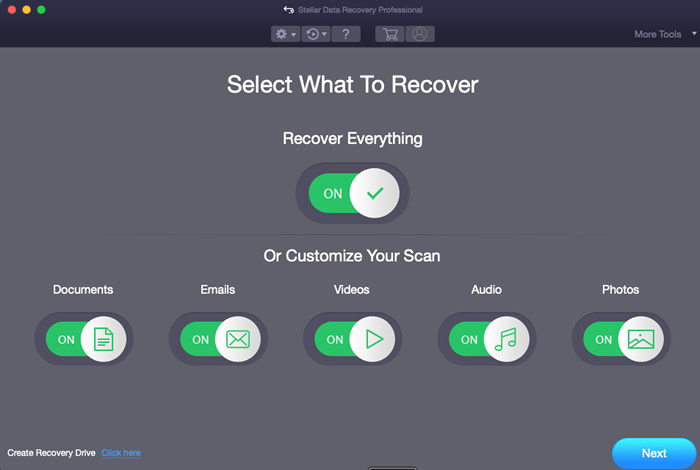
In our case we used an external USB reader with a SDXC card, we selected the Drive1 with Deep scan enabled

And since the SDXC card was 256GB we waited sometime to get things finished.

After 35minutes the scan finished and we got many data able to get recovered from our fresh formatted (and written again) SDXC card. The software prompt us that around 41.65GB of data are recoverable.

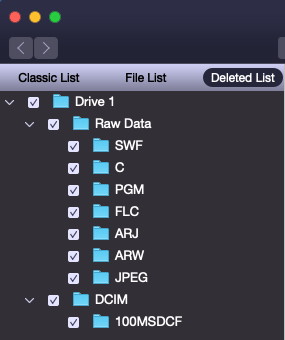
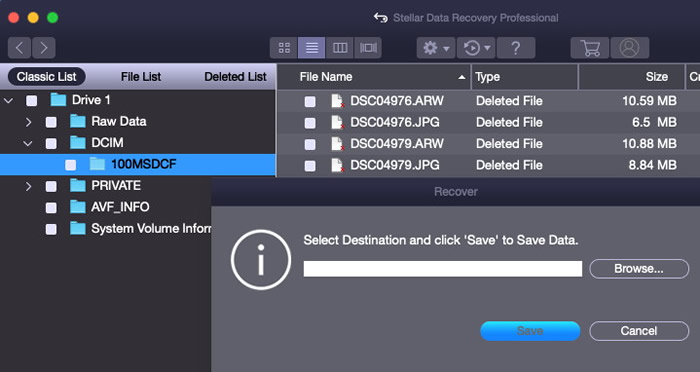
You can select from the Classic List / File List or Deleted List files at the left area and at the right you can view all files.

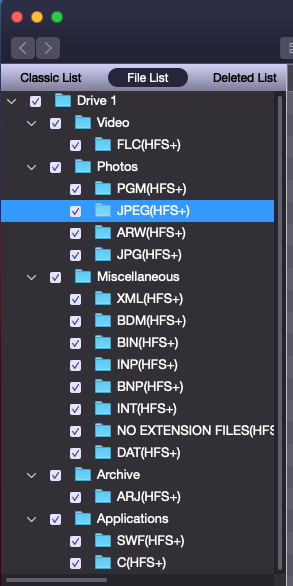
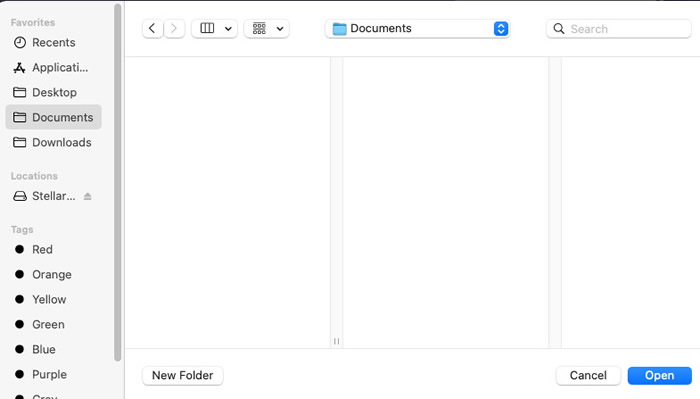
Pressing upon a file you can select it and press right click to recover the file to your local HDD.
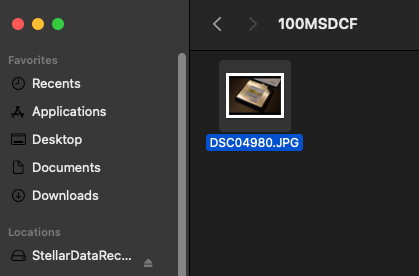
Our file is recovered!
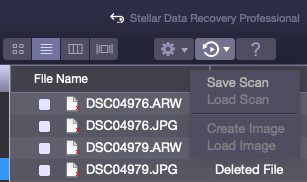
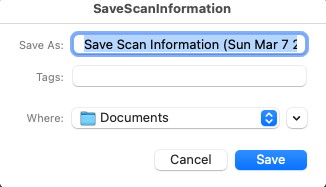
In case you need you can save the overall scan progress and come later to recover more files if wanted.
 

Review Pages

1. Introduction/Free Edition
2. Free Vs. Pro Version
3. Getting to know the Pro Version
4. How it works?
5. Conclusion


Pages

  • « first
  • ‹ previous
  • 1
  • 2
  • 3
  • 4
  • 5
  • next ›
  • last »

Stellar Data Recovery

Tags: Stellar Data Recovery
Previous Post
The Importance of RAW Format in Photography
Next Post
What to look for in Firewall Security Software

Related Posts

  • Stellar Data Recovery For Mac

  • Stellar Data Recovery For Windows

  • Stellar Data Recovery (Windows Edition)

Latest Reviews

EnGenius ECW520 AP
Enterprise & IT

EnGenius ECW520 AP

Noctua NP-DM3 desk mat
Gaming

Noctua NP-DM3 desk mat

Crucial P510 2TB NMVE
PC components

Crucial P510 2TB NMVE

The Quiet Technology Behind the Spin
Enterprise & IT

The Quiet Technology Behind the Spin

Crucial DDR5 Pro 6400 CL32
PC components

Crucial DDR5 Pro 6400 CL32

Popular News

COLORFUL Introduces CVN B850I GAMING FROZEN Motherboard

COLORFUL Introduces CVN B850I GAMING FROZEN Motherboard

COLORFUL Presents CVN X870 ARK FROZEN Motherboard for AMD Ryzen 9000 CPUs

COLORFUL Presents CVN X870 ARK FROZEN Motherboard for AMD Ryzen 9000 CPUs

COLORFUL Presents the B860 Series Motherboards

COLORFUL Presents the B860 Series Motherboards

Intel-AMD new motherboards announced

Intel-AMD new motherboards announced

TEAMGROUP Launches EXPERT P34F Find My External SSD

TEAMGROUP Launches EXPERT P34F Find My External SSD

ASRock AM5 Motherboards Now Fully Support AMD Ryzen 9 9950X3D & 9900X3D Processors

ASRock AM5 Motherboards Now Fully Support AMD Ryzen 9 9950X3D & 9900X3D Processors

Samsung announces Galaxy Tab S11 and Galaxy S25 FE series

Samsung announces Galaxy Tab S11 and Galaxy S25 FE series

Viltrox Showcases Upcoming Lens Lineup and New TTL Flash at IBC 2025

Viltrox Showcases Upcoming Lens Lineup and New TTL Flash at IBC 2025

Main menu

  • Home
  • News
  • Reviews
  • Essays
  • Forum
  • Legacy
  • About
    • Submit News

    • Contact Us
    • Privacy

    • Promotion
    • Advertise

    • RSS Feed
    • Site Map
  • About
  • Privacy
  • Contact Us
  • Promotional Opportunities @ CdrInfo.com
  • Advertise on out site
  • Submit your News to our site
  • RSS Feed