Breaking News

CORSAIR Expands Its Gaming Ecosystem at Computex 2026 with Advanced Hall Effect Technology, Stream Deck-Integrated Performance, and All-Day Audio CORSAIR Unveils the Latest Innovation in Cases, Cooling, Power Supplies and More for DIY PC Builders at COMPUTEX 2026 be quiet! unveils new power, cooling, and peripheral lineup Micron Powers AI Everywhere at COMPUTEX 2026 Delkin Devices Launches New microSD Express Cards Optimized for Nintendo Switch 2 Gaming

logo

  • Share Us
    • Facebook
    • Twitter
  • Home
  • Home
  • News
  • Reviews
  • Essays
  • Forum
  • Legacy
  • About
    • Submit News

    • Contact Us
    • Privacy

    • Promotion
    • Advertise

    • RSS Feed
    • Site Map

Search form

Stellar Data Recovery MAC Edition

Mar 12,2021 0

5. Conclusion


Review Pages

1. Introduction/Free Edition
2. Free Vs. Pro Version
3. Getting to know the Pro Version
4. How it works?
5. Conclusion


We had already tested the Windows Version of the Stellar Data Recover FREE edition software and we also wanted to check if the software works as promised with MAC users as well. We found the software to be very easy to understand and with very good recovery engine in both FREE and Professional versions. With the FREE version you can recover up to 1GB of Data, when with the Professional you have unlimited data of recovery. More-over the Pro version gives you tools to check your HDD, clone or every create recovery stick for those hard to boot MAC OS HDDs...

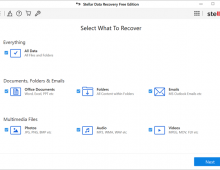
The software interface in both FREE/PRO editions is the same and with three simple steps you will get back your files. In case you need even more advanced features, StellarDataRecovery also offers the Premium/Technician with repair functions for the recovered files you might have.

We highly suggest both the FREE/PRO version so don't waste time and download the FREE version to try it yourself.

+Positive
Free version can recover up to 1GB of data allowing users to test the software!
Small download file size
Works very good with MAC platform
GUI is very clean and easy to use
Good results even with formatted storage media
Pro version has more utils for power users

-Negative
Save selection folder options could be saved for all tasks


Review Pages

1. Introduction/Free Edition
2. Free Vs. Pro Version
3. Getting to know the Pro Version
4. How it works?
5. Conclusion


Pages

  • « first
  • ‹ previous
  • 1
  • 2
  • 3
  • 4
  • 5

Stellar Data Recovery

Tags: Stellar Data Recovery
Previous Post
The Importance of RAW Format in Photography
Next Post
What to look for in Firewall Security Software

Related Posts

  • Stellar Data Recovery For Mac

  • Stellar Data Recovery For Windows

  • Stellar Data Recovery (Windows Edition)

Latest Reviews

Swit NP-FZ100 Battery
Cameras

Swit NP-FZ100 Battery

The Technology Stack Behind Modern Digital Gaming Platforms
Consumer Electronics

The Technology Stack Behind Modern Digital Gaming Platforms

be quiet! Dark Rock Pro 6
Cooling Systems

be quiet! Dark Rock Pro 6

How Online Casinos Use Encryption, Verification, and Risk Controls to Build User Trust
Enterprise & IT

How Online Casinos Use Encryption, Verification, and Risk Controls to Build User Trust

Why Low-Latency Infrastructure Matters More Than Raw Specs
Enterprise & IT

Why Low-Latency Infrastructure Matters More Than Raw Specs

Popular News

TEAMGROUP Launches EXPERT P34F Find My External SSD

TEAMGROUP Launches EXPERT P34F Find My External SSD

CORSAIR announces Vanguard Pro 96 and Vanguard 96 Gaming Keyboards

CORSAIR announces Vanguard Pro 96 and Vanguard 96 Gaming Keyboards

MSI Launches FORGE GK600 TKL WIRELESS Special Edition Compact Mechanical Keyboard

MSI Launches FORGE GK600 TKL WIRELESS Special Edition Compact Mechanical Keyboard

Samsung announces Galaxy Tab S11 and Galaxy S25 FE series

Samsung announces Galaxy Tab S11 and Galaxy S25 FE series

Viltrox Showcases Upcoming Lens Lineup and New TTL Flash at IBC 2025

Viltrox Showcases Upcoming Lens Lineup and New TTL Flash at IBC 2025

Panasonic Introduces the First Ultra-Telephoto Zoom Lens in the LUMIX S Series

Panasonic Introduces the First Ultra-Telephoto Zoom Lens in the LUMIX S Series

MSI Launches DATAMAG 40Gbps Magnetic Portable SSD

MSI Launches DATAMAG 40Gbps Magnetic Portable SSD

Viltrox Joins the L-Mount Alliance, Expanding Creative Possibilities

Viltrox Joins the L-Mount Alliance, Expanding Creative Possibilities

Main menu

  • Home
  • News
  • Reviews
  • Essays
  • Forum
  • Legacy
  • About
    • Submit News

    • Contact Us
    • Privacy

    • Promotion
    • Advertise

    • RSS Feed
    • Site Map
  • About
  • Privacy
  • Contact Us
  • Promotional Opportunities @ CdrInfo.com
  • Advertise on out site
  • Submit your News to our site
  • RSS Feed