Breaking News

be quiet! enters high-end gaming mouse market with Dark Perk Ergo and Dark Perk Sym ASUS ROG announces ROG Strix GS-BE7200 Dual-Band WiFi 7 Gaming Router Transcend Launches RDE3 microSD Express Card Reader for Next-Generation High-Speed Performance Akasa Unleashes Six New Low-Profile CPU Coolers Up to 165W TDP Cooling in Compact Form Factors SWIT announces Powercell Battery Series for Sony, Canon, Nikon, and Fujifilm Cameras

logo

  • Share Us
    • Facebook
    • Twitter
  • Home
  • Home
  • News
  • Reviews
  • Essays
  • Forum
  • Legacy
  • About
    • Submit News

    • Contact Us
    • Privacy

    • Promotion
    • Advertise

    • RSS Feed
    • Site Map

Search form

Amazon Lets You Use Echo Devices to Built an Alexa "Home Theatre" System

Amazon Lets You Use Echo Devices to Built an Alexa "Home Theatre" System

Consumer Electronics Nov 12,2019 0

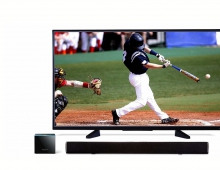
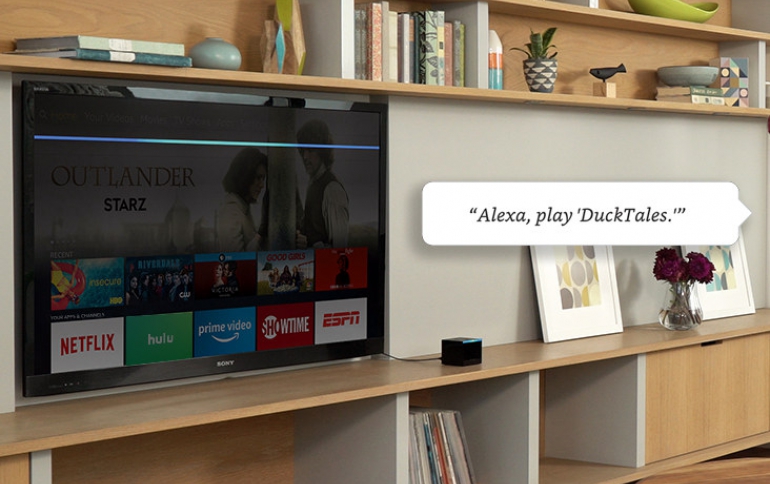
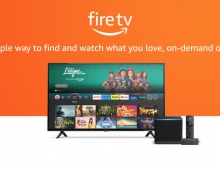
Amazon is allowing users of its FireTV and Echo products to combine them and create a 2.1 speaker setup that could be considered a home theater solution.

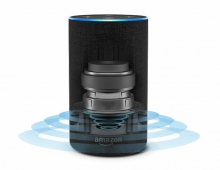
Home Theatre System allows you to create a home theatre system for your Fire TV device by using your Echo Devices as speakers.

At this time Home Theatre System is only supported for the following devices:

Compatible Fire TV Devices

  • Amazon Fire TV Stick 4K
  • Amazon Fire TV (3rd Generation)
  • Fire TV Cube (2nd Generation)

Compatible Echo Devices

  • Echo Dot (3rd Generation)
  • Echo (2nd Generation)
  • Echo (3rd Generation)
  • Echo Plus (1st Generation)
  • Echo Plus (2nd Generation)
  • Echo Dot with clock
  • Echo Studio

Home Theatre System on Fire TV supports the following speaker configurations:

  • 1.0 (one Echo device working as an external speaker)
  • 1.1 (one Echo device working as an external speaker with Echo Sub
  • 2.0 (two Echo devices working as external speakers, one as left audio and one as right audio)
  • 2.1 (two Echo devices working as external speakers, one as left audio and one as right audio, and on Echo Sub)

To get started, download the latest version of the Alexa app and check that your Echo device has the latest software version installed.

To create a speaker set for Home Theatre:

  • Connect your Fire TV device and Echo device(s) to the same network and Amazon account.
  • In the Alexa app, tap on the Devices icon on the lower right-hand side and then tap the “+” icon on the upper right hand side.
  • Tap “Set Up Audio System” from the popup and then tap “Home Cinema” on the next screen.
  • Select your Fire TV device and then “Next” to name your new Home Theatre system.
  • Select the Echo devices you would like to use as speakers – you can set-up up to two speakers, plus an optional Echo Sub.
  • Follow the on-screen instructions.

Once you enable your speaker system, manage your Home Theatre settings on your Fire TV.

  • Go to Settings > Display & Sounds > Home Theatre System.
  • Gaming Audio: Enable this setting to ensure optimal audio quality only when gaming. This setting uses your TV speakers and should be disabled when you are not gaming.
  • Volume Control: Allows your Fire TV remote to control the volume of your Home Theatre System.
  • Lip Sync Tuning: Use this setting if you notice inconsistencies between the audio you hear and the action seen on screen.
Tags: Home Theater SystemsAmazon EchoAmazon Fire TV
Previous Post
Facebook Pay Simplifies Payments Though Facebook, Messenger, Instagram and WhatsApp
Next Post
Micron Launches 1TB Industrial-Grade microSD Card for Cloud-Managed Video Surveillance

Related Posts

  • Panasonic to partner with Amazon Fire TV to deliver new experiential value for smart TVs

  • Amazon Fire TV Surpasses 200 Million Fire TV Devices Sold Globally, Expands Amazon-Built TV Lineup, and Brings its Smart TV to More Countries

  • Amazon Unveils the Portable Echo Input Speaker

  • Amazon Sold More Than 10 million Smart Speakers in Q3 2019

  • Alexa and Amazon Echo Now Available in Brazil

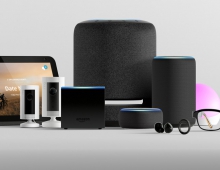
  • Amazon Introduces 8 New Echo Devices, New Alexa Features, Smart home Experiences

  • Amazon to Introduce New Hardware in Alexa Push

  • Amazon Introduces New Fire TV Cube

Latest News

be quiet! enters high-end gaming mouse market with Dark Perk Ergo and Dark Perk Sym
Gaming

be quiet! enters high-end gaming mouse market with Dark Perk Ergo and Dark Perk Sym

ASUS ROG announces ROG Strix GS-BE7200 Dual-Band WiFi 7 Gaming Router
Enterprise & IT

ASUS ROG announces ROG Strix GS-BE7200 Dual-Band WiFi 7 Gaming Router

Transcend Launches RDE3 microSD Express Card Reader for Next-Generation High-Speed Performance
Cameras

Transcend Launches RDE3 microSD Express Card Reader for Next-Generation High-Speed Performance

Akasa Unleashes Six New Low-Profile CPU Coolers Up to 165W TDP Cooling in Compact Form Factors
Cooling Systems

Akasa Unleashes Six New Low-Profile CPU Coolers Up to 165W TDP Cooling in Compact Form Factors

SWIT announces Powercell Battery Series for Sony, Canon, Nikon, and Fujifilm Cameras
Cameras

SWIT announces Powercell Battery Series for Sony, Canon, Nikon, and Fujifilm Cameras

Popular Reviews

be quiet! Dark Mount Keyboard

be quiet! Dark Mount Keyboard

Terramaster F8-SSD

Terramaster F8-SSD

be quiet! Light Mount Keyboard

be quiet! Light Mount Keyboard

Soundpeats Pop Clip

Soundpeats Pop Clip

Akaso 360 Action camera

Akaso 360 Action camera

Dragon Touch Digital Calendar

Dragon Touch Digital Calendar

be quiet! Pure Loop 3 280mm

be quiet! Pure Loop 3 280mm

Noctua NF-A12x25 G2 fans

Noctua NF-A12x25 G2 fans

Main menu

  • Home
  • News
  • Reviews
  • Essays
  • Forum
  • Legacy
  • About
    • Submit News

    • Contact Us
    • Privacy

    • Promotion
    • Advertise

    • RSS Feed
    • Site Map
  • About
  • Privacy
  • Contact Us
  • Promotional Opportunities @ CdrInfo.com
  • Advertise on out site
  • Submit your News to our site
  • RSS Feed