Breaking News

Akasa Unleashes Six New Low-Profile CPU Coolers Up to 165W TDP Cooling in Compact Form Factors SWIT announces Powercell Battery Series for Sony, Canon, Nikon, and Fujifilm Cameras TerraMaster launces D1 SSD Pro 80Gbps Thunderbolt 5 Enclosure PROGRADE DIGITAL ANNOUNCES SPACE ACT AGREEMENT WITH NASA FOR ARTEMIS LUNAR MISSIONS EnGenius Unveils Cloud-Managed ECW536S Wi-Fi 7 with 24/7 AirGuard Security

logo

  • Share Us
    • Facebook
    • Twitter
  • Home
  • Home
  • News
  • Reviews
  • Essays
  • Forum
  • Legacy
  • About
    • Submit News

    • Contact Us
    • Privacy

    • Promotion
    • Advertise

    • RSS Feed
    • Site Map

Search form

Terramaster F2-422 NAS Server

Jul 10,2021 0

2. Retail Package


Review Pages

1. Introduction
2. Retail Package
3. Getting familiar with the TOS operating system
4. TOS System
5. Apps/Performance
6. Upgrade/Other operating systems
7. Bios
8. Conclusion


The Terramaster F2-422 is rated for Small Business and supports two (2) slots for 2.5/3.5" SSD/HDD drives. The retail box is minimal and has at the side area the product spec sticker with needed information. The NAS from default comes with 4GB of DDR4 RAM installed and costs around $380/Euro as found over Amazon.de

At the side users will find product information and part number:
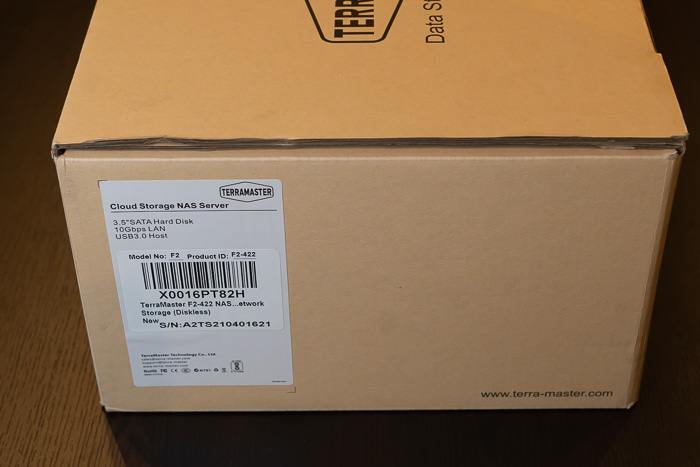
The chassis is well protected and placed next to another cardboard box that includes the rest of the accessories. Opening the box, we will find the package contents:
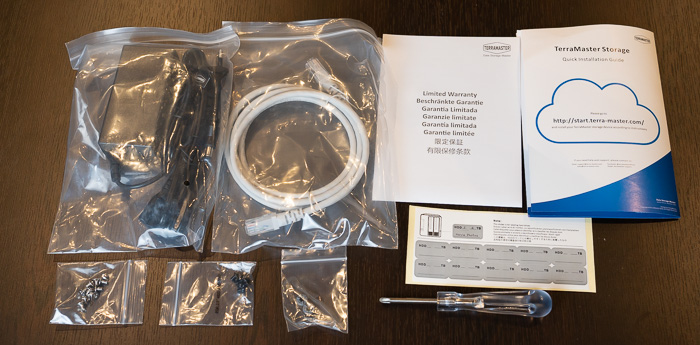
Unpacking the contents, users will find

  1. The TNAS Device x1
  2. The power adapter x1
  3. The power cord x1
  4. The Lan cable x1
  5. The quick guide x1
  6. The limited warranty notice x1
  7. Several screws x2
  8. Screwdriver x1

The power adapter comes with 12.0V- 3.33A and 39.96Watt output specifications that should cover all your HDD storage needs. In order to get the NAS server running of course you need either 3.5" or 2.5" HDD/SSD drives. Terramaster lists several drives certified to work, users should visit this page to get more information. In short, Terramaster lists Seagate, Samsung, Sandisk and WD Red SSD drives, while for normal HDD, suggests Seagate Barracuda Pro, Exos, Skyhawk, Ironwolf/Ironwolf Pro and WD Red/Red Pro, Purple, Gold, Surveillance and Toshiba NAS N300 series. Of course other HDD may work, but make sure the used drive is built for NAS use, else your data may be in danger.

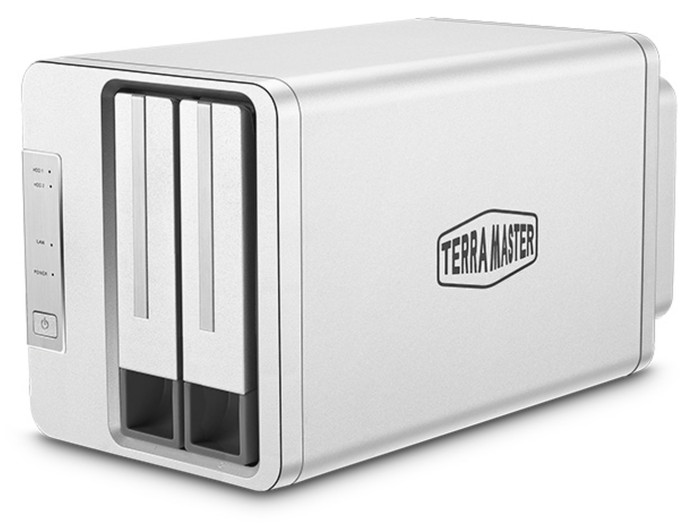
The product has small dimensions (227 x 119 x 133 mm) and weights around 1.50kg without any drives installed. The material used is aluminium and gives a good overall aesthetics and feel to the product.
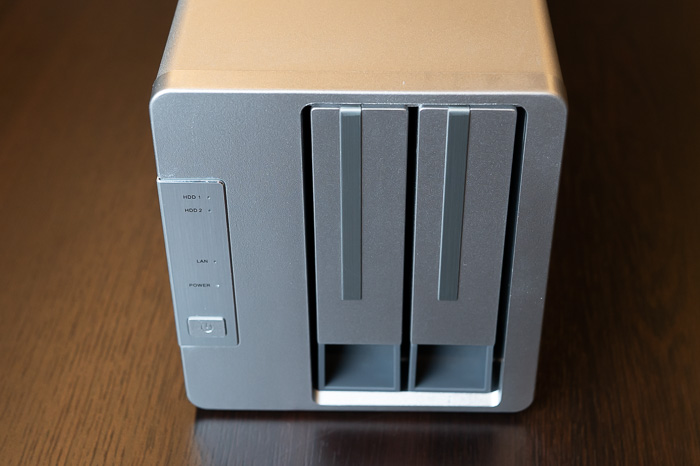
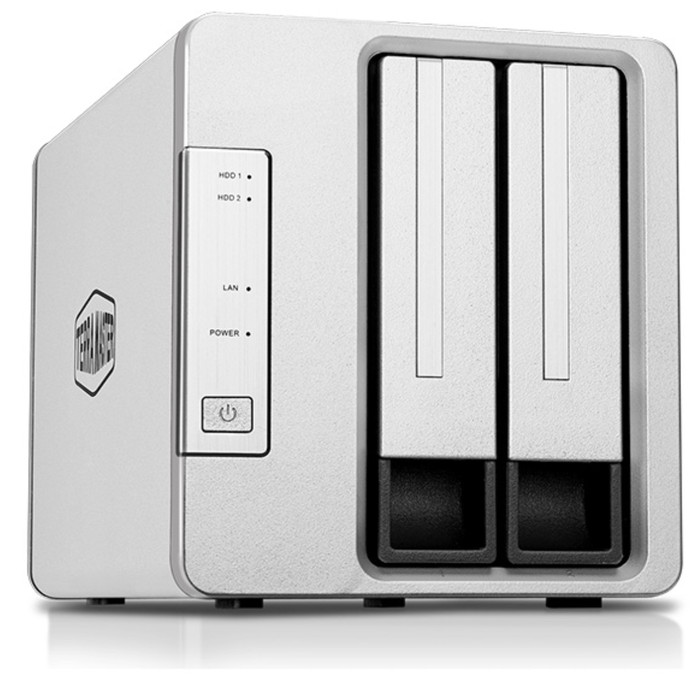
At the front users will find two (2) slots for inserting HDDs. At the left area there is the power button and several leds indicating how many drives have been installed and the operation of the system.
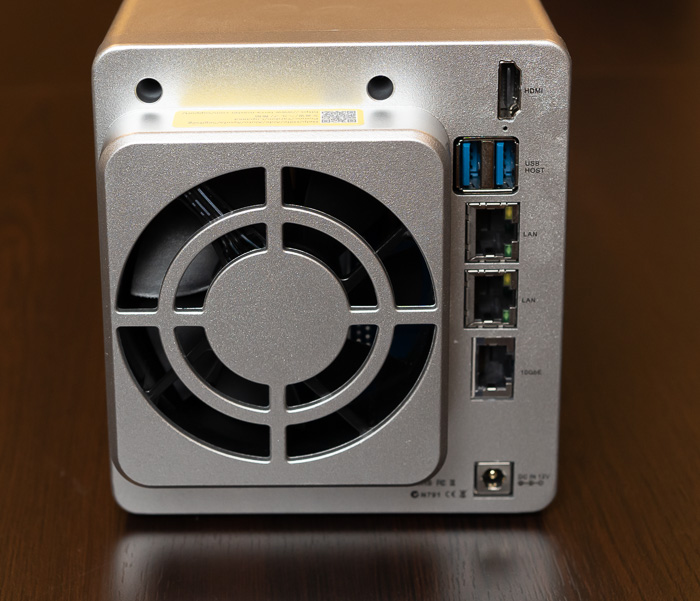
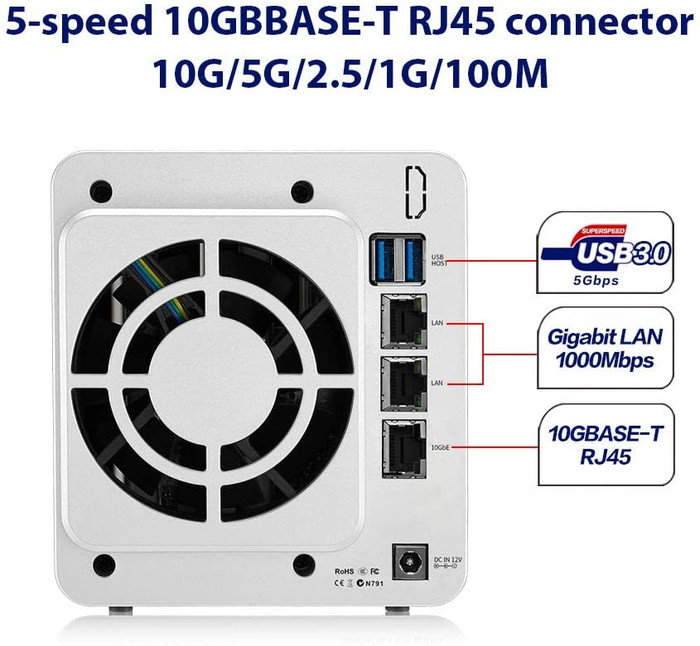
At the back, we will find one 80mm x 80mm x25mm fan, among with several ports:

  • RJ-45 1GbE Network Jack x2
  • RJ-45 10GbE Network Jack x1
  • USB 3.0 Port x2
  • Power Jack
  • HDMI (out)

Note that the official pictures don’t show the HDMI out port...We will later examine, how this can be useful for end users.
The device doesn’t have either WIFI or BT installed by default. While it’s not clear, you can add WIFI module at the device that only should be based upon RTL8812AU chipset, else your USB WIFI module won’t get recognized by the device.
 

Review Pages

1. Introduction
2. Retail Package
3. Getting familiar with the TOS operating system
4. TOS System
5. Apps/Performance
6. Upgrade/Other operating systems
7. Bios
8. Conclusion


Pages

  • « first
  • ‹ previous
  • 1
  • 2
  • 3
  • 4
  • 5
  • 6
  • 7
  • 8
  • next ›
  • last »

TerraMaster

Tags: TerraMaster
Previous Post
Samsung FItPlus 128GB USB Stick
Next Post
Noctua NH-D15 chromax.black CPU Cooler

Related Posts

  • TerraMaster launces D1 SSD Pro 80Gbps Thunderbolt 5 Enclosure

  • TerraMaster TOS 7 Beta Now Open Worldwide

  • TerraMaster Black Friday & Cyber Monday 2025 Mega Sale Is Here

  • TerraMaster Unveils TOS 7 Insider Preview

  • TerraMaster Launches F2-425 2-Bay NAS

  • TerraMaster Launches D1 SSD Plus

  • TerraMaster Offers Up to 25% Off on Amazon Prime Day 2025

  • TerraMaster Launches F4 SSD

Latest Reviews

The Difference Between American and European Stakes and Why It Changes How People Bet
Enterprise & IT

The Difference Between American and European Stakes and Why It Changes How People Bet

Endorfy Thock V2 Wireless Keyboard
PC components

Endorfy Thock V2 Wireless Keyboard

Noctua NH-D15 G2 Chromax.Black
Cooling Systems

Noctua NH-D15 G2 Chromax.Black

EnGenius ECW520 AP
Enterprise & IT

EnGenius ECW520 AP

Noctua NP-DM3 desk mat
Gaming

Noctua NP-DM3 desk mat

Popular News

COLORFUL Introduces CVN B850I GAMING FROZEN Motherboard

COLORFUL Introduces CVN B850I GAMING FROZEN Motherboard

COLORFUL Presents CVN X870 ARK FROZEN Motherboard for AMD Ryzen 9000 CPUs

COLORFUL Presents CVN X870 ARK FROZEN Motherboard for AMD Ryzen 9000 CPUs

TEAMGROUP Launches EXPERT P34F Find My External SSD

TEAMGROUP Launches EXPERT P34F Find My External SSD

ASRock AM5 Motherboards Now Fully Support AMD Ryzen 9 9950X3D & 9900X3D Processors

ASRock AM5 Motherboards Now Fully Support AMD Ryzen 9 9950X3D & 9900X3D Processors

Samsung announces Galaxy Tab S11 and Galaxy S25 FE series

Samsung announces Galaxy Tab S11 and Galaxy S25 FE series

Viltrox Showcases Upcoming Lens Lineup and New TTL Flash at IBC 2025

Viltrox Showcases Upcoming Lens Lineup and New TTL Flash at IBC 2025

CORSAIR announces Vanguard Pro 96 and Vanguard 96 Gaming Keyboards

CORSAIR announces Vanguard Pro 96 and Vanguard 96 Gaming Keyboards

Panasonic Introduces the First Ultra-Telephoto Zoom Lens in the LUMIX S Series

Panasonic Introduces the First Ultra-Telephoto Zoom Lens in the LUMIX S Series

Main menu

  • Home
  • News
  • Reviews
  • Essays
  • Forum
  • Legacy
  • About
    • Submit News

    • Contact Us
    • Privacy

    • Promotion
    • Advertise

    • RSS Feed
    • Site Map
  • About
  • Privacy
  • Contact Us
  • Promotional Opportunities @ CdrInfo.com
  • Advertise on out site
  • Submit your News to our site
  • RSS Feed