Breaking News

GAMEMAX Unveils NEX C53 Panoramic Chassis be quiet! announces new Power Zone 2 1200W and Pure Power 13 M 1200W Thypoch announces 21mm f/3.5 M Mount Lens ASUS showcases new AI technologies and celebrates 20 years of ROG gaming at CES Prograde Digital Announces Pro Card Caddy

logo

  • Share Us
    • Facebook
    • Twitter
  • Home
  • Home
  • News
  • Reviews
  • Essays
  • Forum
  • Legacy
  • About
    • Submit News

    • Contact Us
    • Privacy

    • Promotion
    • Advertise

    • RSS Feed
    • Site Map

Search form

Terramaster F2-422 NAS Server

Jul 10,2021 0

7. Bios


Review Pages

1. Introduction
2. Retail Package
3. Getting familiar with the TOS operating system
4. TOS System
5. Apps/Performance
6. Upgrade/Other operating systems
7. Bios
8. Conclusion


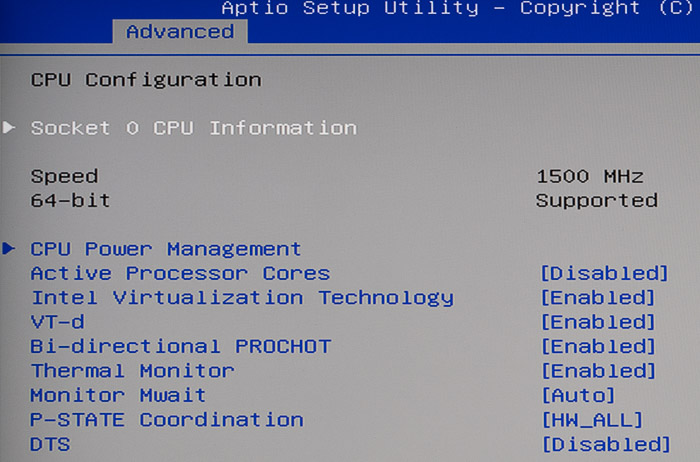
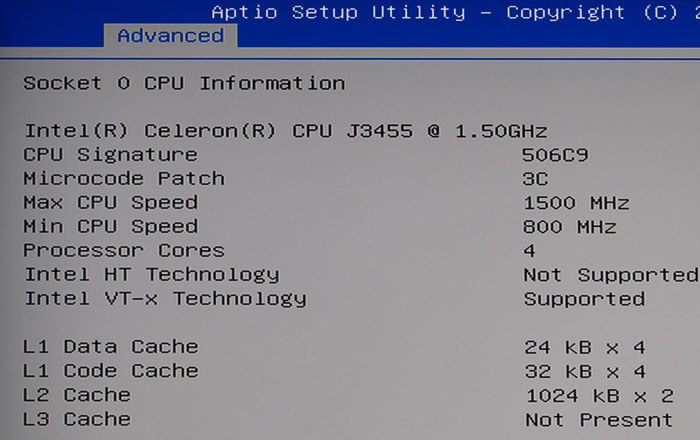
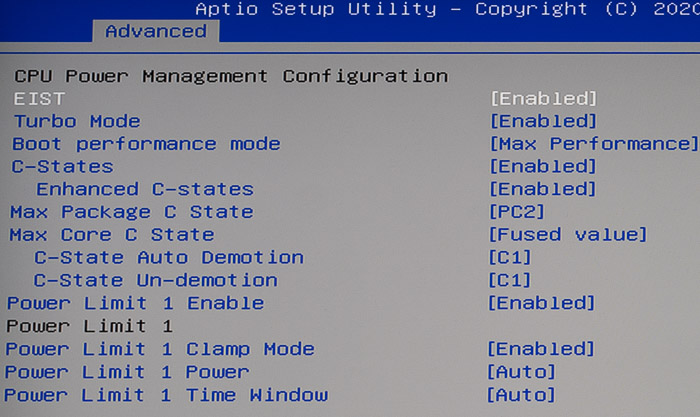
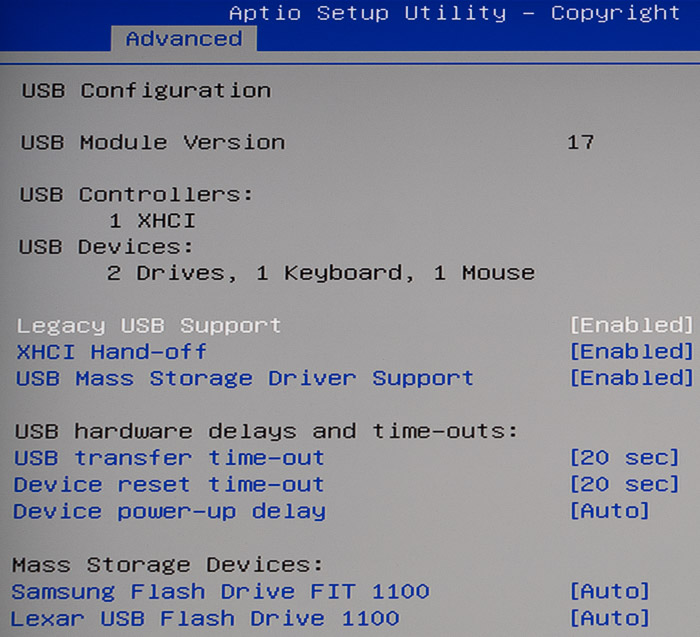
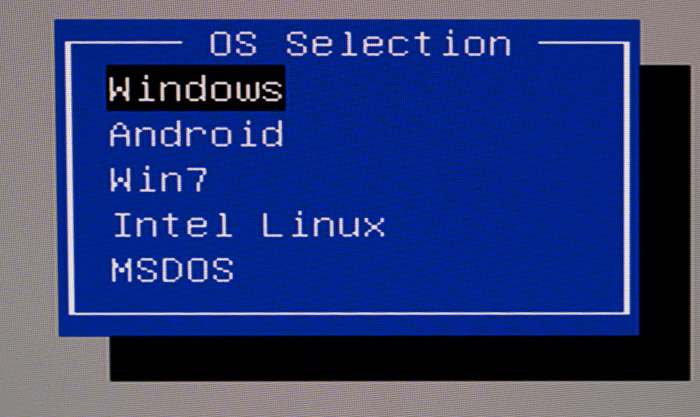
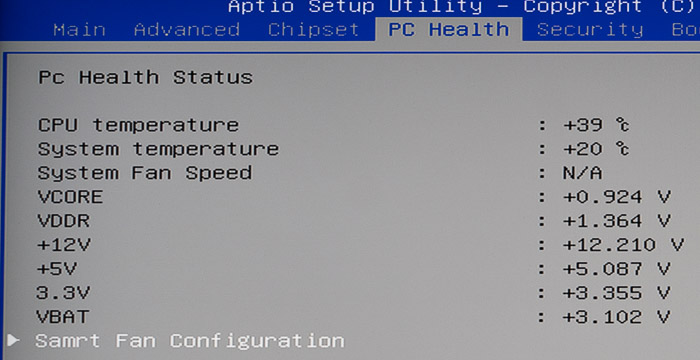
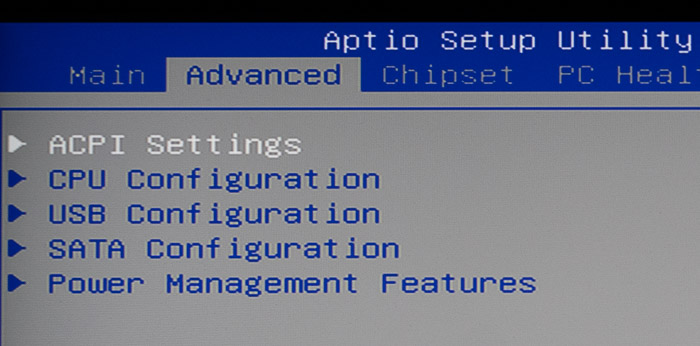
To get into the BIOS of the device you need to connect mouse/keyboard and press DEL during the boot process. Below is what you can expect from the installed BIOS, it has 27/07/2020 build date and it’s based at AMI format.

 

Review Pages

1. Introduction
2. Retail Package
3. Getting familiar with the TOS operating system
4. TOS System
5. Apps/Performance
6. Upgrade/Other operating systems
7. Bios
8. Conclusion


Pages

  • « first
  • ‹ previous
  • 1
  • 2
  • 3
  • 4
  • 5
  • 6
  • 7
  • 8
  • next ›
  • last »

TerraMaster

Tags: TerraMaster
Previous Post
Samsung FItPlus 128GB USB Stick
Next Post
Noctua NH-D15 chromax.black CPU Cooler

Related Posts

  • TerraMaster TOS 7 Beta Now Open Worldwide

  • TerraMaster Black Friday & Cyber Monday 2025 Mega Sale Is Here

  • TerraMaster Unveils TOS 7 Insider Preview

  • TerraMaster Launches F2-425 2-Bay NAS

  • TerraMaster Launches D1 SSD Plus

  • TerraMaster Offers Up to 25% Off on Amazon Prime Day 2025

  • TerraMaster Launches F4 SSD

  • TerraMaster D4 SSD Unveiled

Latest Reviews

The Difference Between American and European Stakes and Why It Changes How People Bet
Enterprise & IT

The Difference Between American and European Stakes and Why It Changes How People Bet

Endorfy Thock V2 Wireless Keyboard
PC components

Endorfy Thock V2 Wireless Keyboard

Noctua NH-D15 G2 Chromax.Black
Cooling Systems

Noctua NH-D15 G2 Chromax.Black

EnGenius ECW520 AP
Enterprise & IT

EnGenius ECW520 AP

Noctua NP-DM3 desk mat
Gaming

Noctua NP-DM3 desk mat

Popular News

COLORFUL Introduces CVN B850I GAMING FROZEN Motherboard

COLORFUL Introduces CVN B850I GAMING FROZEN Motherboard

COLORFUL Presents CVN X870 ARK FROZEN Motherboard for AMD Ryzen 9000 CPUs

COLORFUL Presents CVN X870 ARK FROZEN Motherboard for AMD Ryzen 9000 CPUs

COLORFUL Presents the B860 Series Motherboards

COLORFUL Presents the B860 Series Motherboards

TEAMGROUP Launches EXPERT P34F Find My External SSD

TEAMGROUP Launches EXPERT P34F Find My External SSD

ASRock AM5 Motherboards Now Fully Support AMD Ryzen 9 9950X3D & 9900X3D Processors

ASRock AM5 Motherboards Now Fully Support AMD Ryzen 9 9950X3D & 9900X3D Processors

Samsung announces Galaxy Tab S11 and Galaxy S25 FE series

Samsung announces Galaxy Tab S11 and Galaxy S25 FE series

Viltrox Showcases Upcoming Lens Lineup and New TTL Flash at IBC 2025

Viltrox Showcases Upcoming Lens Lineup and New TTL Flash at IBC 2025

CORSAIR announces Vanguard Pro 96 and Vanguard 96 Gaming Keyboards

CORSAIR announces Vanguard Pro 96 and Vanguard 96 Gaming Keyboards

Main menu

  • Home
  • News
  • Reviews
  • Essays
  • Forum
  • Legacy
  • About
    • Submit News

    • Contact Us
    • Privacy

    • Promotion
    • Advertise

    • RSS Feed
    • Site Map
  • About
  • Privacy
  • Contact Us
  • Promotional Opportunities @ CdrInfo.com
  • Advertise on out site
  • Submit your News to our site
  • RSS Feed