
Testing media quality
15. UM Doctor
Review Pages
2. CD-Check
3. CD-R Diagnostics
4. CD-R Inspector
5. CD Roller
6. Disc Inspector
7. EclipseSuite
8. Nero CD Speed
9. Plextor PleXTools
10. ScanCD
11. Sector Tester
12. CD Doctor
13. CD-R Tools
14. Nero CD Speed
15. UM Doctor
16. WSES - Page 1
17. WSES - Page 2
18. WSES - Page 3
19. WSES - Page 4
20. WSES - Page 5
21. WSES - Page 6
22. WSES - Page 7
23. CD Vergleich - Page 1
24. CD Vergleich - Page 2
25. EAC
26. Feurio!
27. Conclusion
Testing Media Quality - Page 15
UM Doctor
UM Doctor is made by SANYO Electric Japan and sold only to legal companies inside the Japan region. There are two versions, the UM Doctor and the UM Doctor Pro. The basic version is sold at 5.000 Yen, while the Pro (and most interesting version) at 50.000 Yen. As was expected the software works only with SANYO (including OEM) based drives.
The main functions of UM Doctor are:
- To report media information
- To report track information
- To report burned media condition after measurement. The results are divided
in 6 levels according to the measured C1/C2 errors:
|
Level
|
C1 (cps)
|
C2 (cps)
|
Dr. KYARA cartoon figures
|
Message Explanation
|
|
1
|
< 50
|
0
|
 |
There are no problems with the data errors
or noise on output data
|
|
2
|
> 50 (~ 250)
|
0
|
 |
There might be a little problem, however
the data are recoverable
|
|
3
|
> 250 (~ 1000)
|
0
|
 |
There is a serious problem about the
amount of data error detection. There is no problem of a data error or
a noise on output data.
|
|
4
|
> 1000
|
0
|
 |
The problem is serious about the amount
of data error detection. A data error and a noise may occur on output
data.
|
|
5
|
-
|
<10
|
 |
A problem is serious about the amount
of reproduction data. A data error and a noise occur on output data.
|
|
6
|
-
|
>10
|
 |
A problem is very serious about the amount
of reproduction data. A data error and a noise occur frequently on output
data.
|
The diagnostic results are displayed after the end in the following format. The Pro version offers the ability to retrieve (and display in graphs) the C1/C2 error information from discs.
For more information please contact SANYO Electric Co. LTD at p-hanbai@infopd.sanyo.co.jp
- Working around with the software
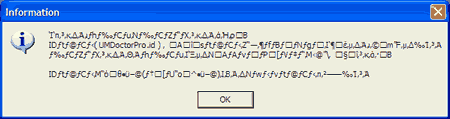
SANYO offers demo versions available that will work without a licence for 10 times. In the following screen, the software reports that we don't have a licence and we can run the software in demo mode.
- Working around with the software
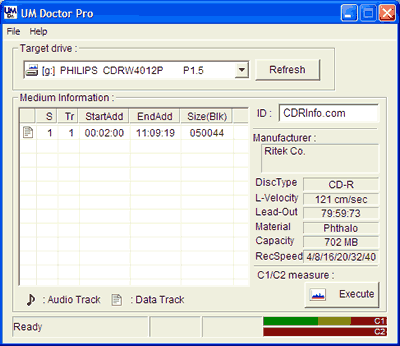
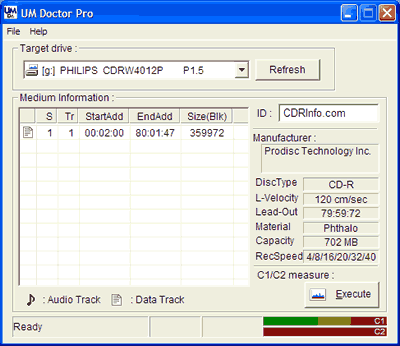
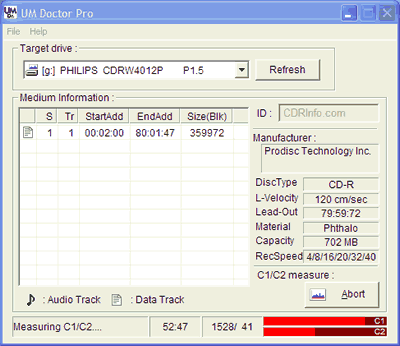
After loading the software, the first screen appears where we can select the testing drive (drop down menu). After inserting a media, the software will report the real media manufacturer, the media type, the linear velocity, the lead-out, the dye material and the capacity of the burned disc. In the main area, the software displays all the read tracks (Data/audio) and their start end time among with the sector size. Lastly, the START button will begin the reading process:
The software will prompt again about the demo status (8 more times before the software expires):
After the reading finished, a popup window will show the C1/C2 error graph among with the minimum, average and maximum absolute values:
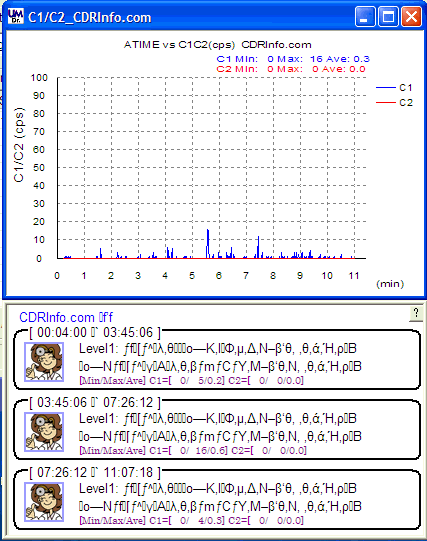
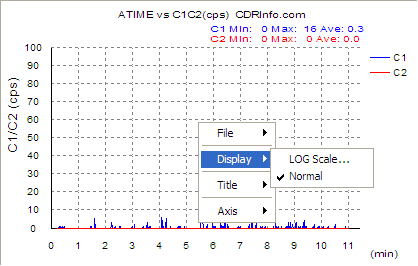
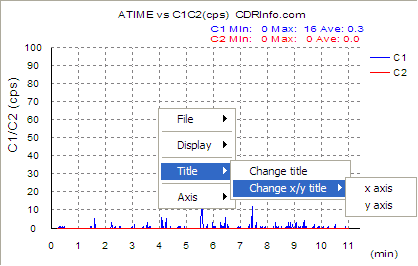
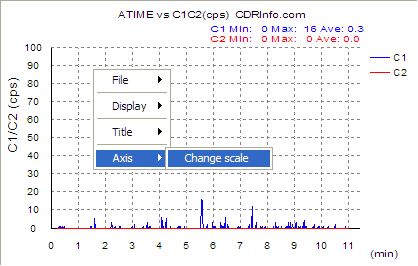
At the bottom, we can see Dr. KYARA, SANYO's cartoon that gives an estimation of the condition of the tested disc. We can change the graph display (normal, LOG scale), the title of the axis, among with the scale:
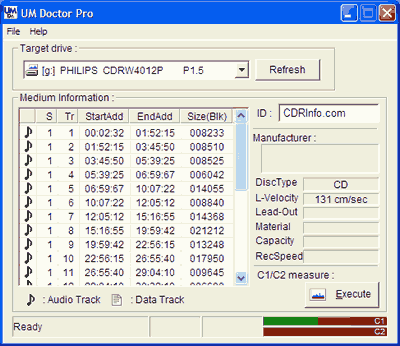
Let's now measure an Audio disc. After inserting the disc, the software shows the Audio tracks. The inserted disc is pressed so there is no much information:
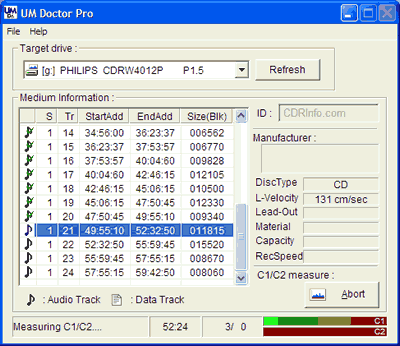
The reading process started
The drive produced several errors while reading, and Dr. KYARA seems troubled from the disc condition:
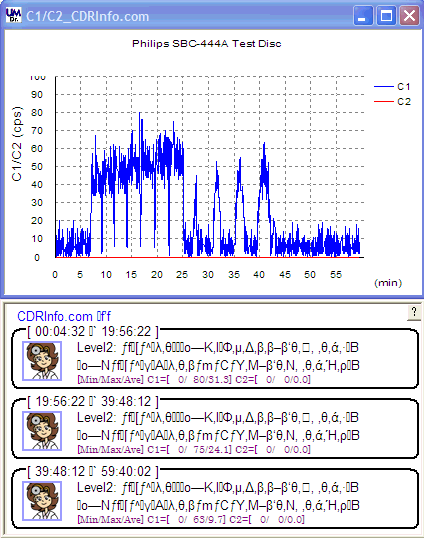
Lastly, let's see how a bad disc would perform:
Many C1/C2 errors are counted:
The disc's condition is really bad (un-readable) and Dr. KYARA is depressed!

Review Pages
2. CD-Check
3. CD-R Diagnostics
4. CD-R Inspector
5. CD Roller
6. Disc Inspector
7. EclipseSuite
8. Nero CD Speed
9. Plextor PleXTools
10. ScanCD
11. Sector Tester
12. CD Doctor
13. CD-R Tools
14. Nero CD Speed
15. UM Doctor
16. WSES - Page 1
17. WSES - Page 2
18. WSES - Page 3
19. WSES - Page 4
20. WSES - Page 5
21. WSES - Page 6
22. WSES - Page 7
23. CD Vergleich - Page 1
24. CD Vergleich - Page 2
25. EAC
26. Feurio!
27. Conclusion










