Breaking News

Fanatec and Trak Racer showcase the future of simulation at SimRacing Expo Frankfurt 2026 Razer Unveils the Barracuda V2 Pro ASUS Republic of Gamers Announces Bulwark Dock DG310 Akasa Announces Fermi CM5 Fanless Case for Raspberry Pi Compute Module 5 LG Electronics Advances the LG Sound Suite Experience With New DTS

logo

  • Share Us
    • Facebook
    • Twitter
  • Home
  • Home
  • News
  • Reviews
  • Essays
  • About
    • Submit News

    • Contact Us
    • Privacy

    • Promotion
    • Advertise

    • RSS Feed

Search form

Terramaster F4-210 NAS Server

Nov 20,2020 0

4. TOS System


Review Pages

1. Introduction
2. The Package/Overview
3. Install/Power up
4. TOS System
5. Apps/Performance
6. Conclusion


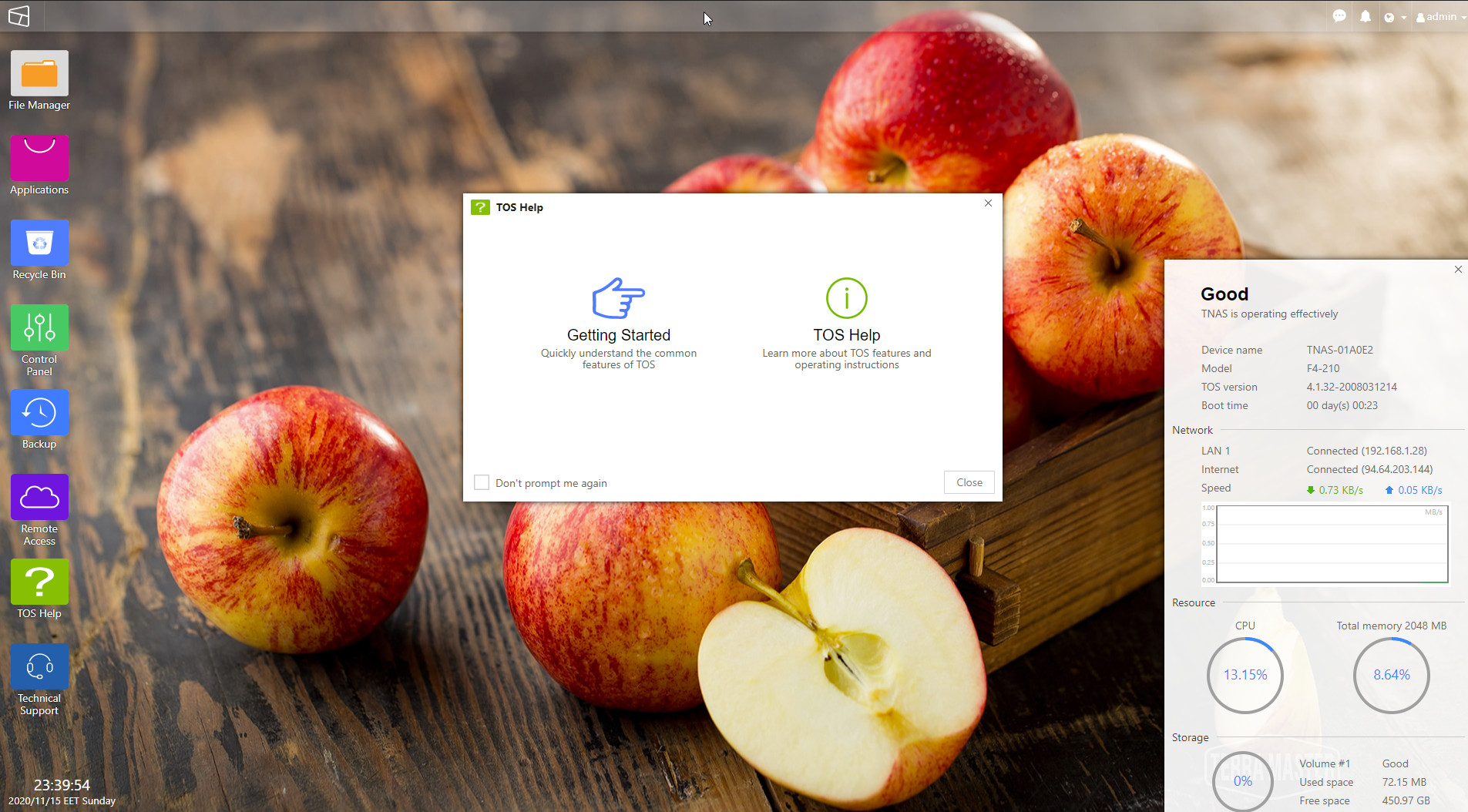
After the fiinal reset, and entering the admin password we set in previous steps, user will see the main NAS page via the main system browser. The system can be located via the http:// IP address of the NAS. The layout is nice and easy to understand. At the left area there are several folders for different operation, while at the right area, there are severeal statistics for the NAS server.
Click to enlarge!

After navigating at the Terramaster's Forums, we found a newer revision of the TOS system TOS 4.2.06 with the following Release Notes:

1. Optimized the patterns of SSL certificate;
2. Optimized the patterns of fonts at Control Panel;
3. Canceled the feature of uploading documents to TOS desktop;
4. Fixed the issue of Apply button at UPS window;
5. Optimized the searching function at TOS Control Panel;
6. Fixed the issue of password format at password resetting page.

Users can upgrade the system via the Control panel:
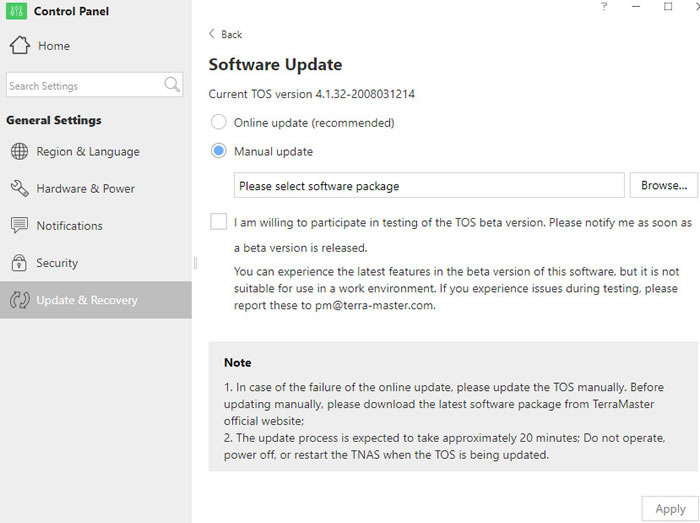
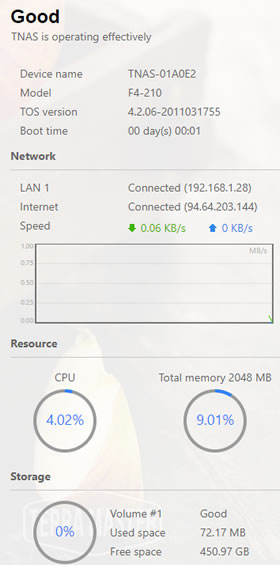
After a new reset, our box upgraded to the 4.2.06 build. The bottom panel also gives several useful information about the local IP, the network IP, the Download/Upload rate and CPU usage:
Lets now navigate through the Control panel:
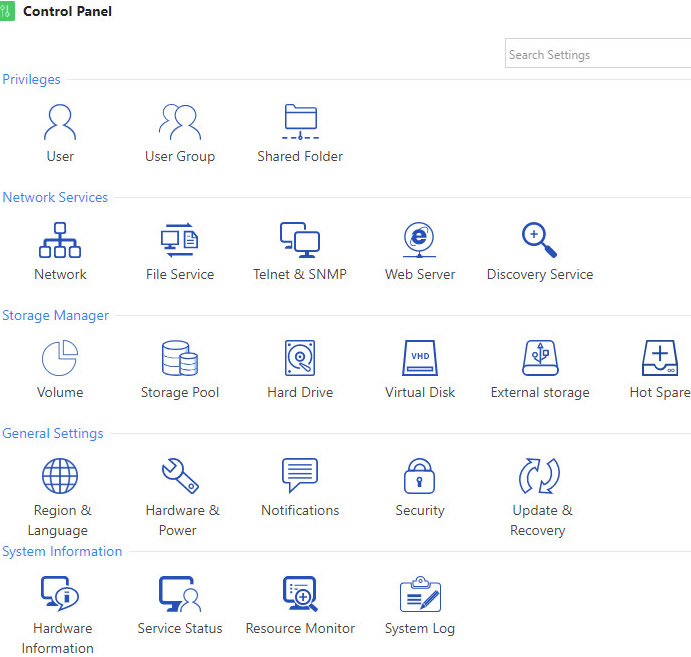
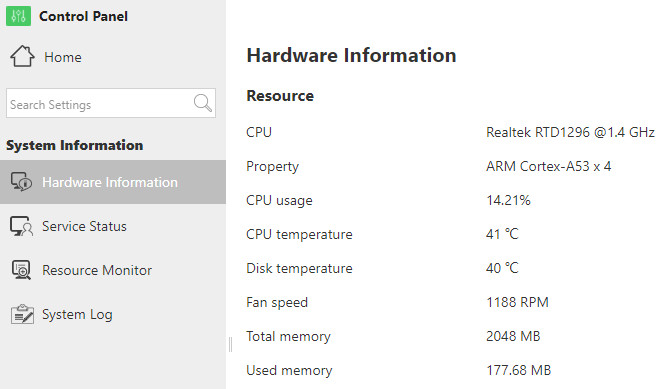
Opening the Hardware information will give us some details about our system. The F4-210 is based upon the RealTek RKD1296 with 2GB DDR4 RAM.
At default many services have be auto-enabled, users can disable them afterwards:

Users can also set the FAN working mode and if and when the HDD disks will sleep

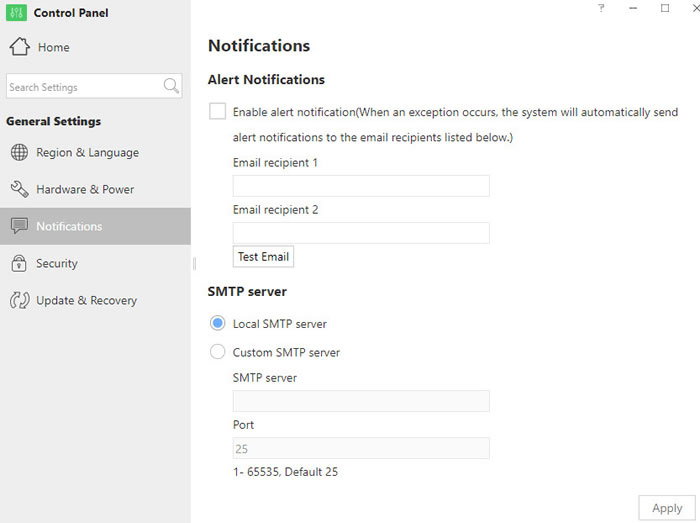
Users can set alert notifications:
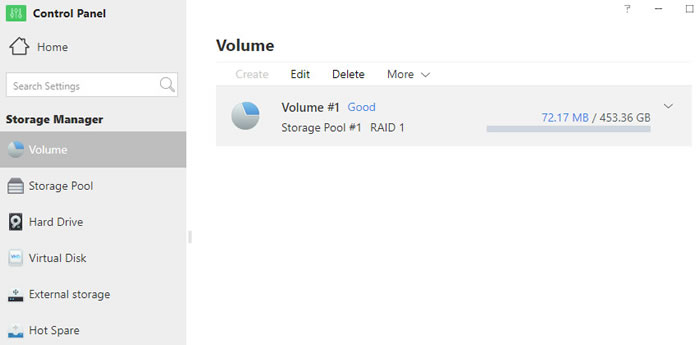
And get more info at the created volumes:
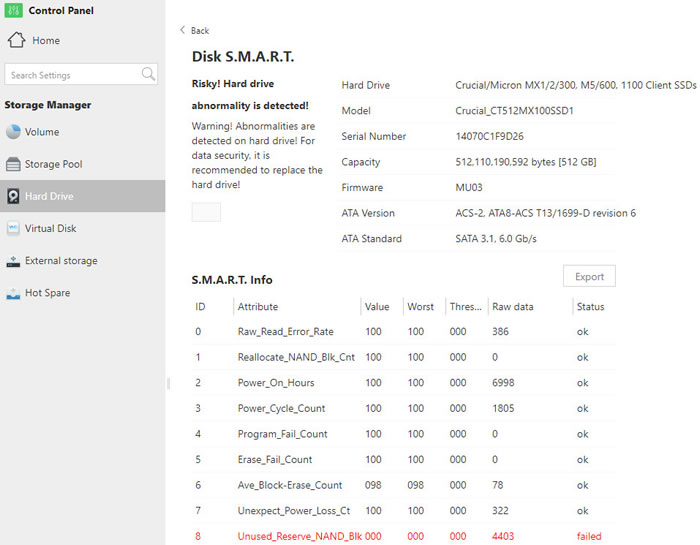
In our case, it seems that due to error over SMART, the device posts an alert for our data:

Even the SSD perform just great, its nice to see that Terramaster takes SMART in account to prompt users for any possible error.
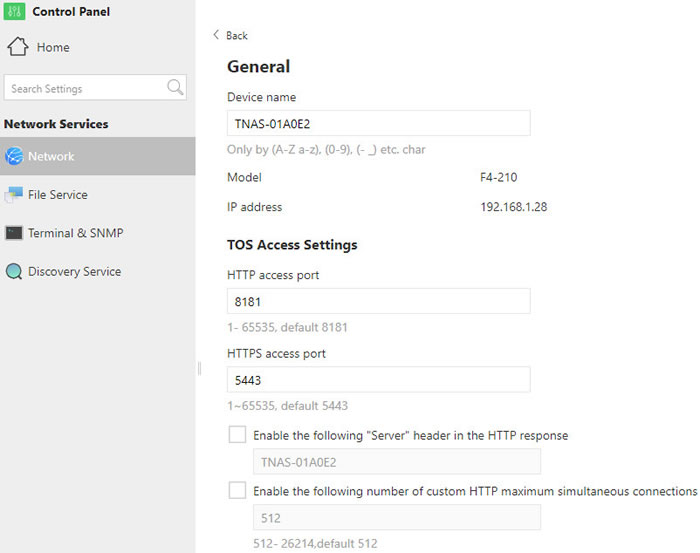
Users can also change the device NAME and other settings/services:
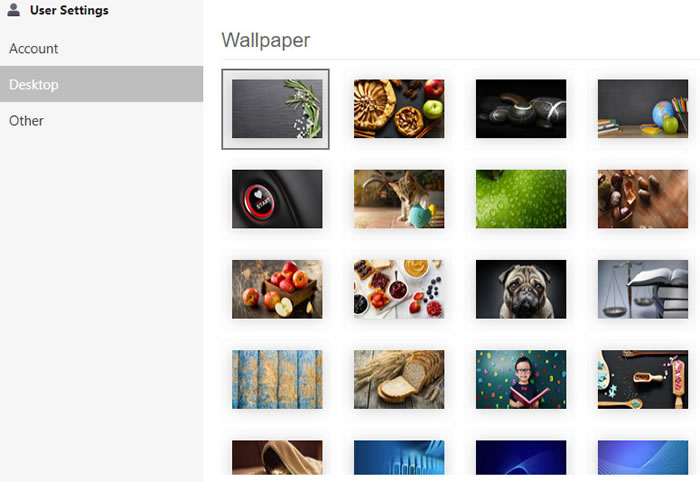
Lastly, users can change the password and the desktop wallpaper.
Users can view their files at the device with three methods

Method 1: Access through TNAS desktop application. Click File Manager and input user’s name and password to access TNAS shard folders. Users can choose to log in either as admin or other users.

Method 2: Access through IP address. Double click My Computer on computer desktop, and directly input the IP address of TNAS such as \\192.168.1.100 in the address bar, then input user’s name and password to access TNAS shared folders. Query of the IP address of TNAS is available through TNAS applicatione.

Method 3: Access by creating a shortcut. For the purpose of easy access, users can create a shortcut for the TNAS shared folders. Operation method: Users can right click the blank space on desktop and select Create> Shortcut, and then input the IP address of TNAS such as \\192.168.1.100 in the pop-up menu to finish shortcut creation. Later, users can access TNAS shared folders by double clicking the shortcut and inputting user’s name and password.


Review Pages

1. Introduction
2. The Package/Overview
3. Install/Power up
4. TOS System
5. Apps/Performance
6. Conclusion


Pages

  • « first
  • ‹ previous
  • 1
  • 2
  • 3
  • 4
  • 5
  • 6
  • next ›
  • last »

TerraMaster

Tags: TerraMaster
Previous Post
8 Best Tips to Improve MacBook Performance
Next Post
How Smartphones are Changing Industries

Related Posts

  • TerraMaster Launches Storage Upgrade Season with Up to 30% Off During Prime Big Deal Days

  • TerraMaster Launches 725 Series Xeon Rackmount NAS

  • TerraMaster Rolls Out Official Storage Upgrade Program

  • TerraMaster Offers up to 25% Off on Selected NAS & DAS

  • TerraMaster F4-425 Pro features the world’s first AI-native TOS 7 NAS system

  • TerraMaster Prime Day 2026 Sale Offers Up to 25% Off

  • TerraMaster announces D1 SSD Rugged Enclosure

  • TerraMaster Spring Sale 2026 Upgraded Up To 30%

Latest Reviews

Fanxiang MP83 M.2 NVMe SSD Enclosure
Enterprise & IT

Fanxiang MP83 M.2 NVMe SSD Enclosure

Ugreen CM642 USB4.0 Enclosure
PC components

Ugreen CM642 USB4.0 Enclosure

be quiet! Dark Power 14 IO
PC components

be quiet! Dark Power 14 IO

SanDisk High Endurance 512GB microSDXC
Cameras

SanDisk High Endurance 512GB microSDXC

Samsung PRO Ultimate 512GB microSDXC
Cameras

Samsung PRO Ultimate 512GB microSDXC

Popular News

MSI’s Latest AMD X870E MAX & EVO Series Motherboards

MSI’s Latest AMD X870E MAX & EVO Series Motherboards

COLORFUL Launches iGame B850M ULTRA Series Micro-ATX Motherboards

COLORFUL Launches iGame B850M ULTRA Series Micro-ATX Motherboards

COLORFUL Presents Limited Edition Chitu MAG-60 Magnetic Keyboard Inspired by the Year of the Horse

COLORFUL Presents Limited Edition Chitu MAG-60 Magnetic Keyboard Inspired by the Year of the Horse

COLORFUL Launches iGame B850I MINI OC V14 Motherboard

COLORFUL Launches iGame B850I MINI OC V14 Motherboard

COLORFUL Launches the iGame X870E VULCAN W OC Motherboard

COLORFUL Launches the iGame X870E VULCAN W OC Motherboard

COLORFUL Presents iGame Z890 ULTRA-S W and iGame Z890M ULTRA Z Motherboards

COLORFUL Presents iGame Z890 ULTRA-S W and iGame Z890M ULTRA Z Motherboards

COLORFUL Expands B850 Motherboard Lineup with New CVN, Battle-Ax, and MEOW Models

COLORFUL Expands B850 Motherboard Lineup with New CVN, Battle-Ax, and MEOW Models

ASRock Adds Support for One Sub-Channel DRAM Module on Intel DDR5 Motherboards

ASRock Adds Support for One Sub-Channel DRAM Module on Intel DDR5 Motherboards

Main menu

  • Home
  • News
  • Reviews
  • Essays
  • About
    • Submit News

    • Contact Us
    • Privacy

    • Promotion
    • Advertise

    • RSS Feed
  • About
  • Privacy
  • Contact Us
  • Promotional Opportunities @ CdrInfo.com
  • Advertise on out site
  • Submit your News to our site
  • RSS Feed