be quiet! Dark Rock Pro 6
2. Retail Package
Both Dark Rock 6 and Dark Rock Pro 6 use custom designed Silent Wings PWM fans with advanced fluid dynamic bearings, 3-phase 6-pole motors, optimized fan blades, and tight tip clearance to increase air pressure and improve airflow. In both cases, the fan design focuses on high cooling efficiency combined with low noise, ensuring reliable and quiet operation even under sustained load.
Key differences:
- Cooling layout:
- Dark Rock 6: Single-tower design optimized for compact builds and high overall compatibility.
- Dark Rock Pro 6: Dual-tower design built for maximum cooling performance in overclocked systems and workstations.
- Fan configuration:
- Dark Rock 6: One custom-designed 135mm Silent Wings PWM fan.
- Dark Rock Pro 6: Two custom-designed Silent Wings PWM fans (135mm + 120mm).
- Using different fan sizes and rotational speeds reduces overlapping noise frequencies, resulting in quieter overall operation.
- Mounting & compatibility: Dark Rock Pro 6: Front fan is height-adjustable via a rail system, improving RAM compatibility.
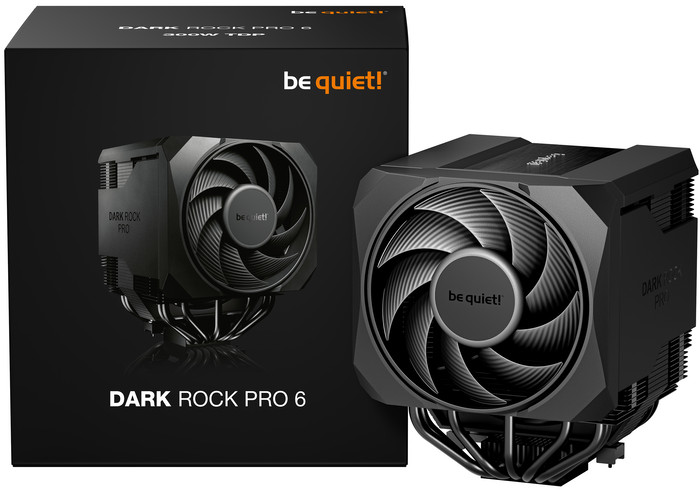
Both Dark Rock 6 and Dark Rock Pro 6 follow the iconic be quiet! design language, combining clean aesthetics with functional details. In both models, the design focuses on a sleek, premium appearance by masking heat pipe ends and creating a tidy, uninterrupted surface, ensuring that the cooler looks as refined as it performs in any build. Thanks to its convenient pre-installed mounting bridge and a firm yet gentle fixing method, cooler attachment is a breeze. The front fans mount efficiently with a rail system, and the Dark Rock Pro 6's front fan allows easy height adjustment for a cleaner look. So installation is easier than ever with the Dark Rock 6 and Dark Rock Pro 6.
The be quiet! Dark Rock Pro 6 is a big-sized CPU cooler. The retail box securely includes the CPU cooler and its accessories. The product will cost €109.90 / $129.90 / £79.99 MSRP (3 years warranty), The product supports many Intel (1851 / 1700 / 1200 / 1150 / 1151 / 1155) and recent AMD (AM5 / AM4) sockets.
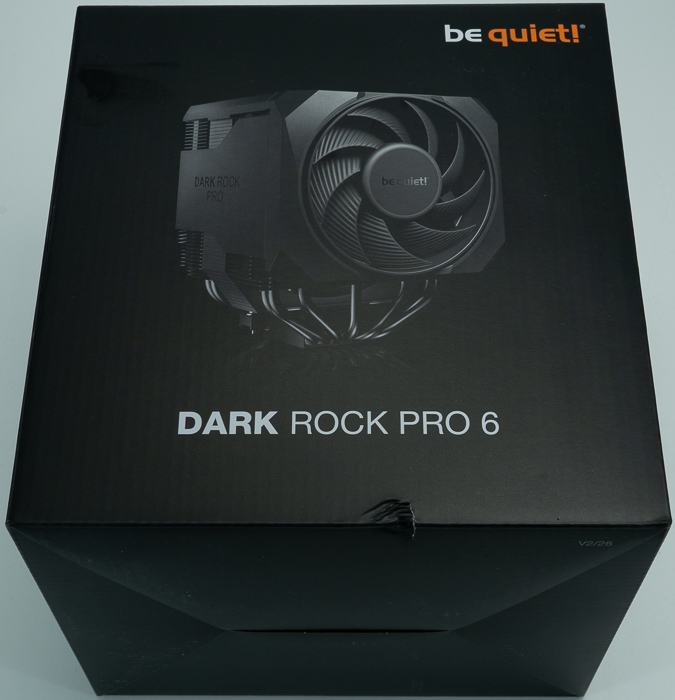
Opening the box unveils the contents, the CPU cooler is in the middle, and accessories and everything are well organized and protected
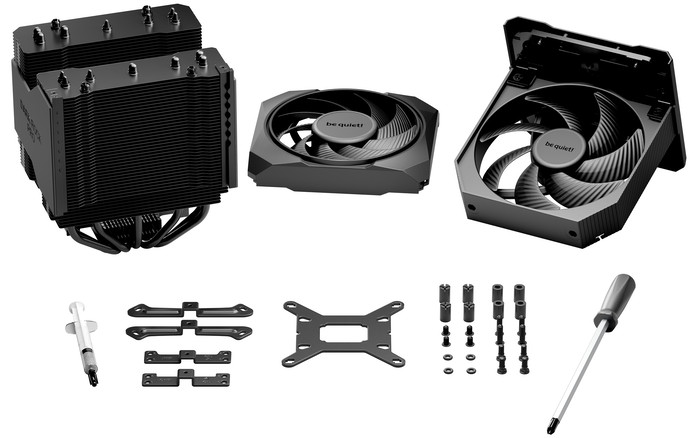
- Dark Rock Pro 6 CPU cooler (dual-tower heatsink)
- Silent Wings 135mm PWM fan (pre-attached to the middle of the heatsink)
- Silent Wings 120mm PWM fan (front fan, height-adjustable)
- Y-cable for fan connection
- Intel backplate + 4× backplate screws + 4× O-rings
- 4× Intel spacer nuts (type A)
- 2× Intel mounting brackets + 4× fastening screws
- AMD upper and lower mounting bridges
- 4× AMD spacer nuts + 4× AMD backplate screws
- Thermal paste tube (sufficient for 1–2 applications)
- Cross-tip screwdriver
- Printed manuals
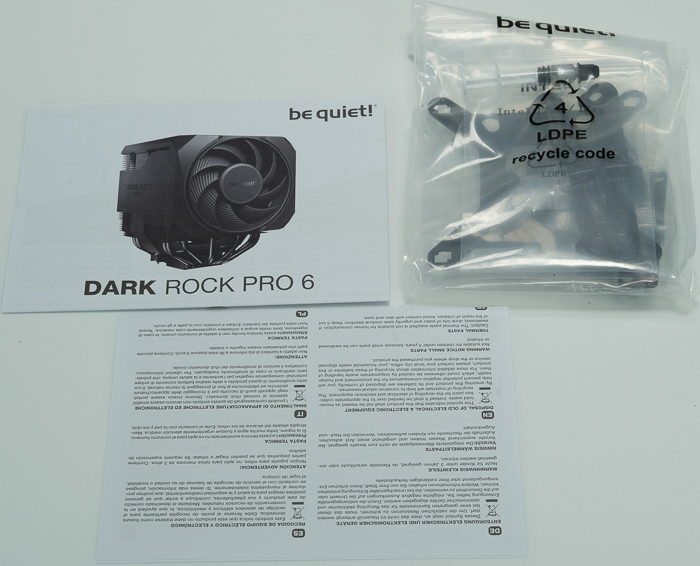
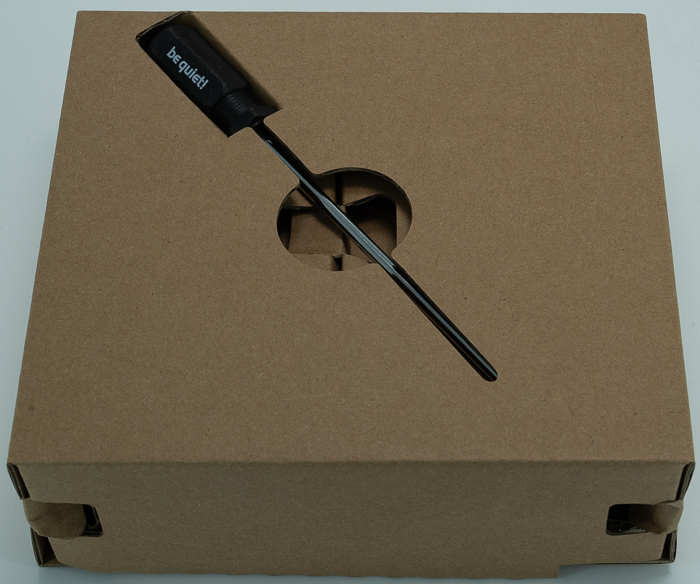
The product includes two fans, one Silent Wing 135mm and one Silent Wings 4 120mm fan, that can be tuned either for Quiet or Performance mode, via a switch at the top of the cooler.

There aren't any mounting brackets for adding a third fan to this product. The CPU cooler is big and users must use the online motherboard-compatible website to be 100% sure about compatibility. At the top, there is also the be quiet! logo.
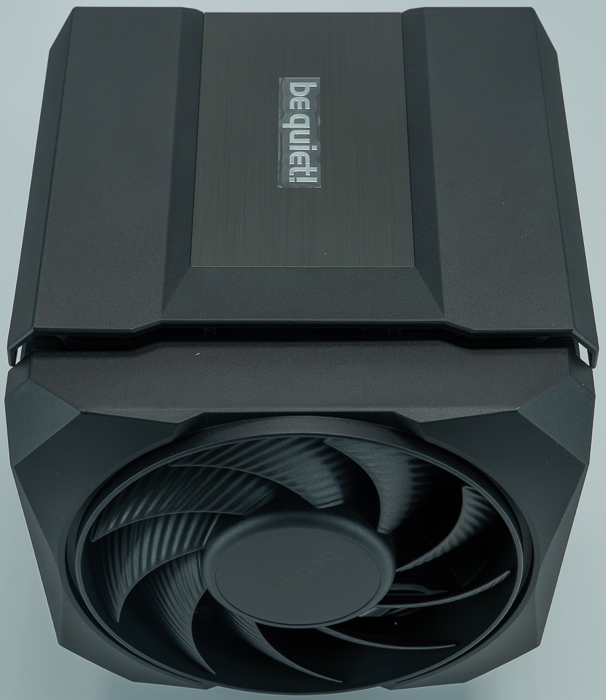
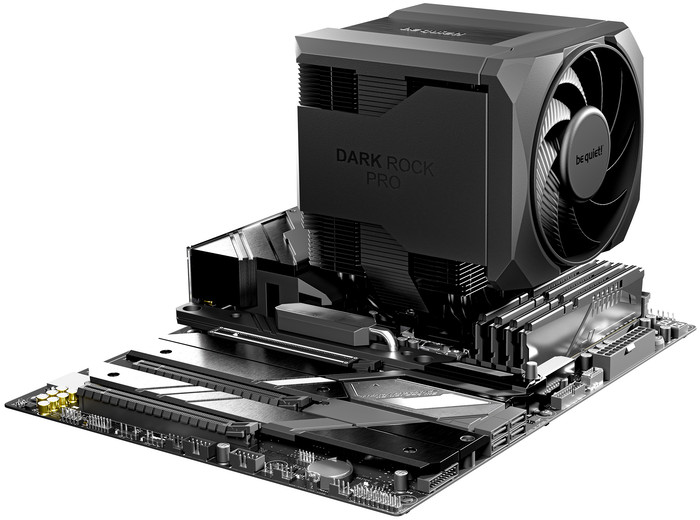
The Dark Rock Pro 6 is an imposing presence. Measuring 147 × 140 × 169 mm and weighing in at 1.34 kg (with fans), it is a large dual-tower cooler finished in be quiet!'s signature matte black ceramic-particle coating.
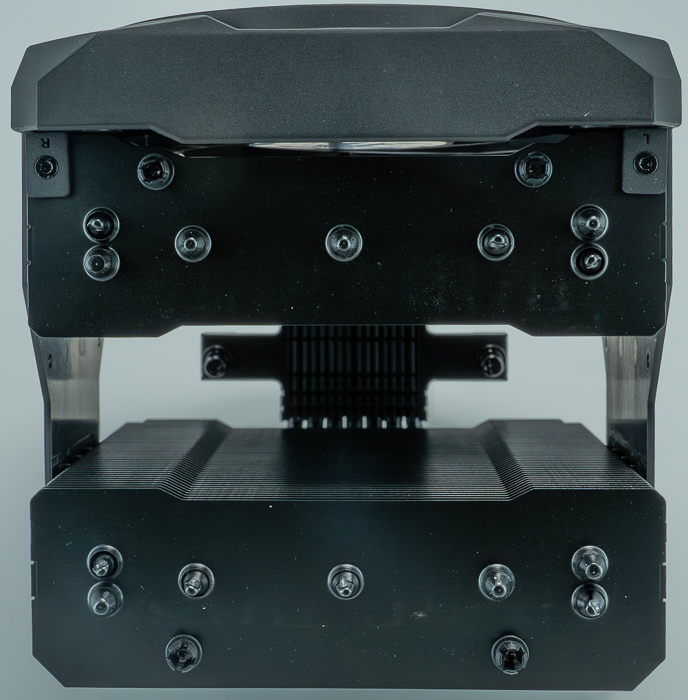
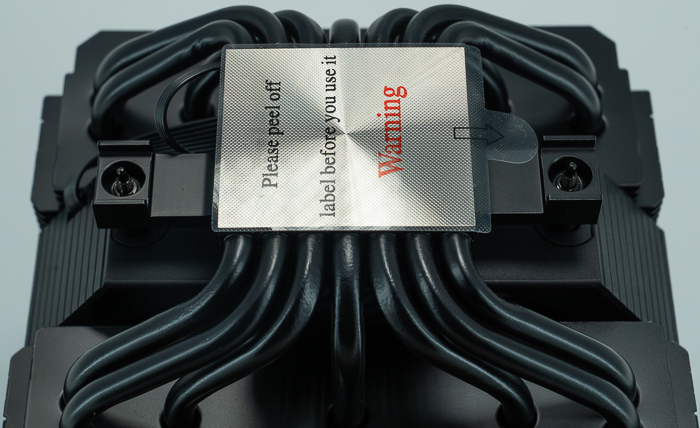
Top View without the central 135mm fan
The coating is not merely cosmetic — it is engineered to improve heat transfer from the fin array to the surrounding air. You would need around 168mm in height for the cooler and around 145mm in width. There is a 45.5mm height clearance for the memory modules, which is a nice touch. If you find this not satisfying you can always move the front fan slightly upwards to make more room.
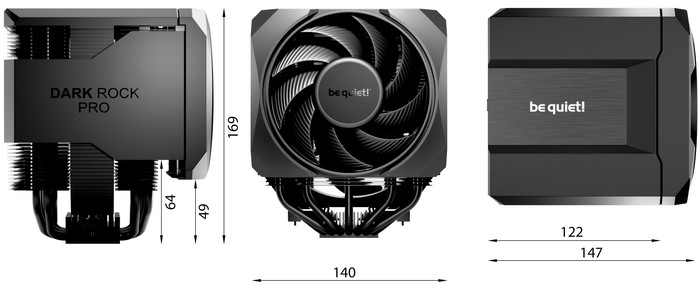
| Measurement | Value |
|---|---|
| Total height | 169 mm |
| Total width (with side fan) | 147 mm |
| Heatsink width only | 122 mm |
| Total depth | 140 mm |
| CPU socket to fin stack bottom clearance | 49 mm |
| CPU socket to fin stack top clearance | 64 mm |
The 49mm clearance from the CPU socket to the bottom of the fin stack is an important figure for RAM compatibility — modules taller than approximately 49mm may interfere when the front 120mm fan is set at its lowest position. Since the fan is height-adjustable via the rail system, users with taller RAM can simply slide it upward to gain clearance without any compromise to the heatsink itself. The 169mm total height means case compatibility should be verified before purchase, as many mid-tower cases max out at 160–165mm of CPU cooler clearance.
The heatsink features seven 6mm copper heat pipes running through a dense aluminum fin array, with a CNC-machined copper contact base that is nickel-plated for compatibility with liquid metal thermal compounds such as be quiet!'s own DC2 Pro.
The fin stacks are split into two towers with a gap in between, allowing the 135mm middle fan to sit neatly recessed within the cooler body — a clean design choice that keeps the overall footprint orderly.
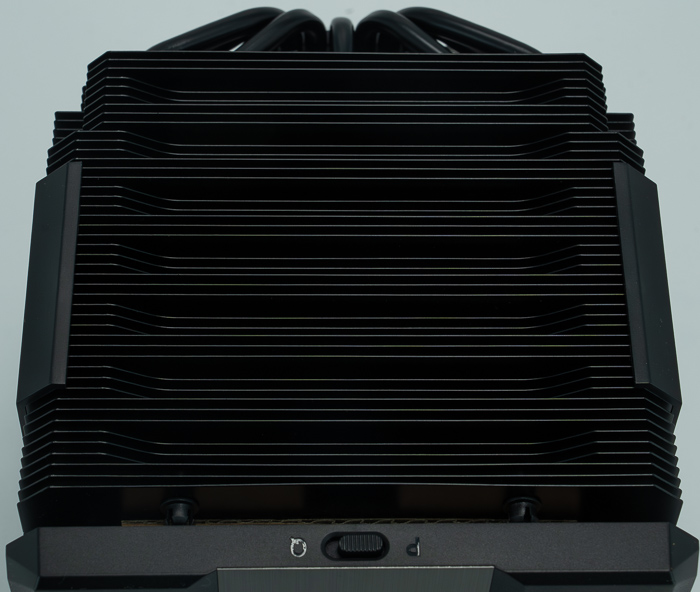
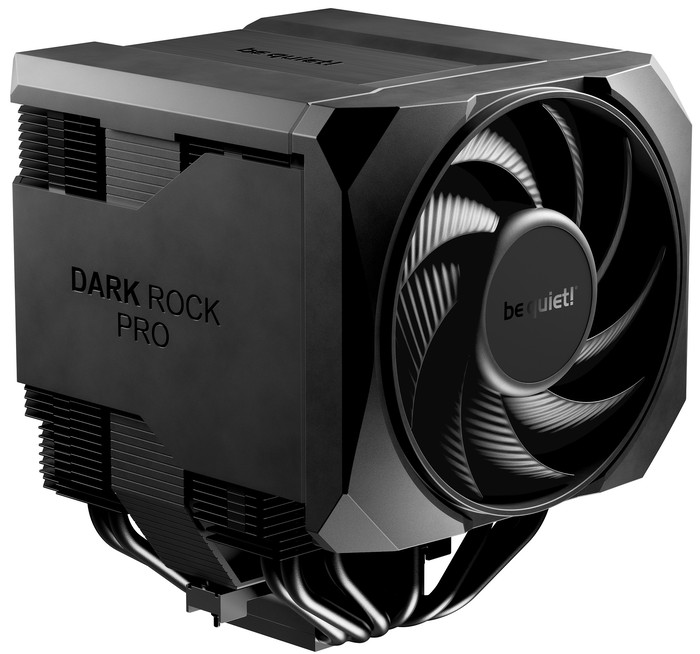
Heat pipe ends are masked by side covers and a top cover with a brushed aluminium badge, giving the cooler a sleek, uninterrupted premium appearance that stands out compared to many competitors that leave the pipe ends exposed. The overall build quality is excellent: everything feels solid, the finish is uniform, and there are no rough edges anywhere.
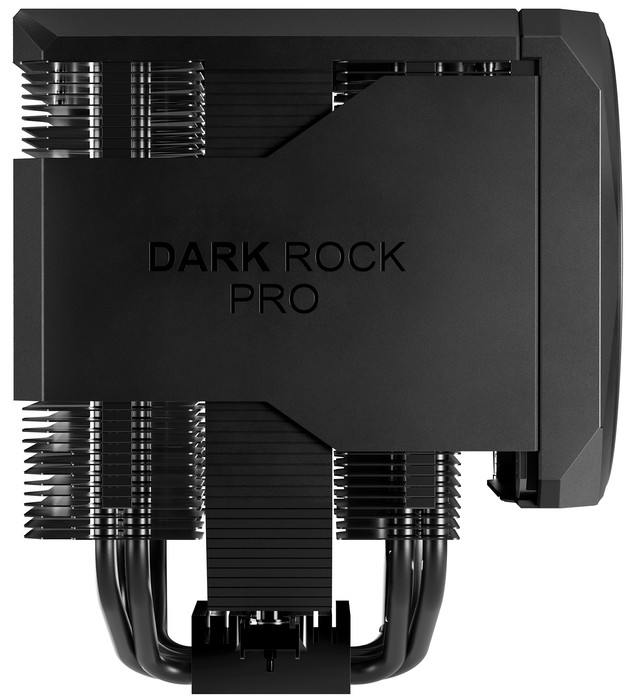
A side view of the cpu cooler
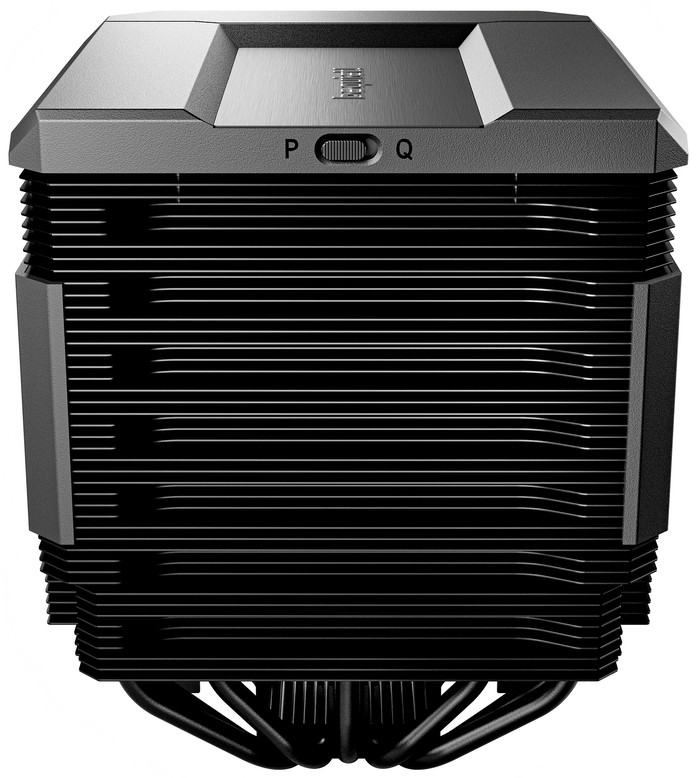
The back design of the fins
The Dark Rock Pro 6 ships with two custom-designed Silent Wings PWM fans that are among the most refined in be quiet!'s portfolio:
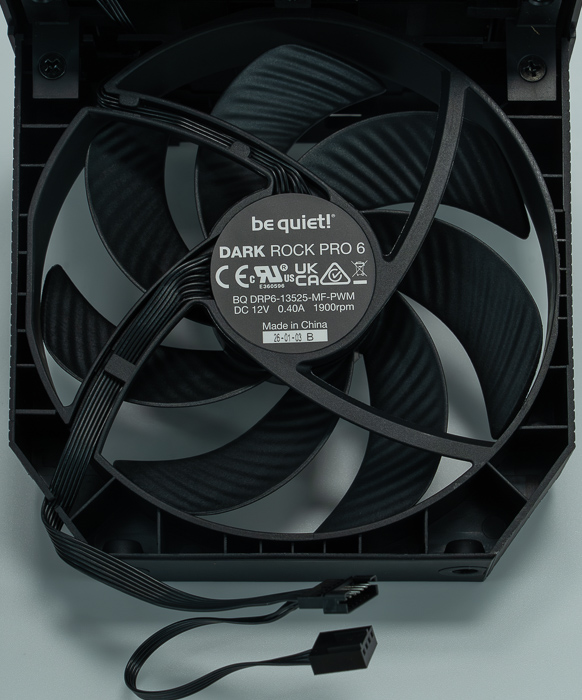
- Silent Wings 135mm PWM — center-mounted, max 1,900 RPM, airflow up to 130.13 m³/h, 2.25 mm H₂O static pressure
- Silent Wings 120mm PWM — front-mounted, max 2,000 RPM, airflow up to 135.04 m³/h, 2.5 mm H₂O static pressure
Both fans use advanced fluid dynamic bearings rated for 300,000 hours at 25°C, six-pole motors for smooth and quiet operation, and optimized blade geometry with tight tip clearance to maximize air pressure. Notably, using two different fan sizes running at slightly different speeds reduces overlapping noise frequencies, resulting in a quieter combined acoustic signature than two identical fans would produce. Both fans connect to the motherboard's CPU fan header via the included Y-cable.
The official fan curve chart reveals a meaningful behavioral difference between Performance (P) and Quiet (Q) modes.
In Quiet mode (orange bars), the fans remain completely stopped from 10% through 30% PWM — pure silence. They begin spinning only around 40% PWM, starting at roughly 400–500 RPM and climbing gradually to approximately 1,900 RPM at 100% PWM.
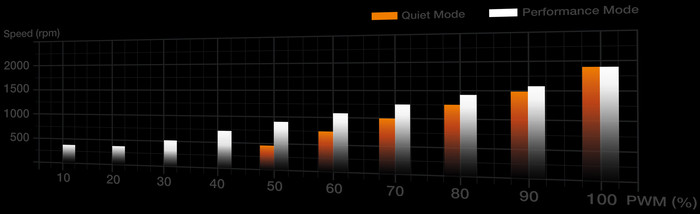
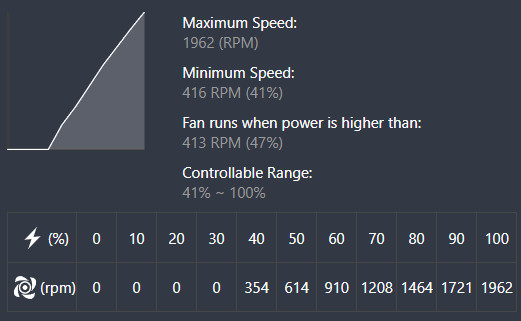
In Performance mode (white bars), the fans spin continuously across the entire PWM range, starting at around 400 RPM even at 10% PWM and reaching ~2,000 RPM at 100%.
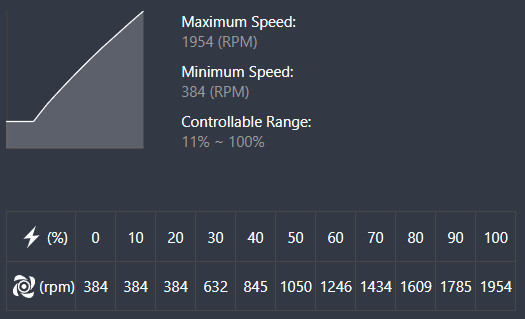
The two curves converge at around 80–100% PWM, where the difference between the modes becomes negligible in terms of fan speed. The key takeaway is that in Quiet mode, the cooler is genuinely silent during light-to-moderate workloads, only engaging the fans meaningfully above roughly 40–50% PWM — which on a modern motherboard with a well-tuned fan curve may only occur during sustained gaming or rendering workloads.
The middle 135mm fan slides down neatly into the gap between the two heatsink towers and clips firmly in place. The front 120mm fan mounts on a rail system that allows height adjustment simply by sliding it up or down — a practical feature that helps clear tall RAM modules without removing the cooler. The manual notes the cooler should be mounted outside the case first where possible, which is sound advice given its size.
One important reminder from the manual: the mode switch between Performance (P) and Quiet (Q) modes must only be changed when the system is powered off. On certain motherboards, enabling the Silent fan profile in BIOS and disabling the fan error alarm may also be necessary for proper operation.
- Installation
be quiet! has put clear thought into the installation experience. The manual (available in English, German, French, and several other languages) is clear and well-illustrated, walking through both Intel and AMD mounting processes with numbered steps.
For Intel (LGA 1851 / 1700 / 1200 / 1150 / 1151 / 1155): A dedicated backplate is mounted on the rear of the motherboard using O-rings to secure the backplate screws. Intel spacer nuts thread onto the backplate, the mounting brackets are then positioned over them, and the cooler is finally set centrally on the brackets and screwed down with alternating tightening — standard and straightforward.
For AMD (AM5 / AM4): The factory AMD retention module's plastic holders are removed, and the motherboard's factory backplate is reused. AMD spacer nuts are placed on the backplate threads in one of two positions: position "0" is the stock mounting position offering maximum motherboard compatibility, while position "8" shifts the cooler by −8mm toward the CPU die for increased cooling performance — a benefit specifically aimed at Ryzen 7000 and 9000 series processors. The short AMD mounting bridges are then fixed with the supplied screws, and the cooler is mounted on top.