Office Universal apps Coming Next Month On Windows 10 for Phones
Microsoft on Friday unveiled a suite of touch-friendly Office apps that allow Windows phone users to work on Word, PowerPoint and Excel documents on their phones with touch commands and to transfer them easily between devices.
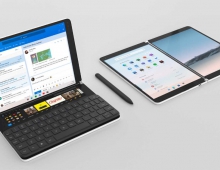
Microsoft's new Office Universal apps are designed for on-the-go productivity. They’re touch-first, built for tablets and phones, and optimized for viewing, quick edits, notes and mark-up. On a tablet, Microsoft says the Universal apps are fluid, and streamlined for a hands-on experience. They’re optimised for reading and touch- and pen-based content creation. On a phone, the Universal apps adapt to the smaller form factor. Commands and controls are moved to the bottom of the screen so you can triage your work and make edits one-handed with your thumb.
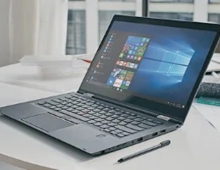
Microsoft says the upcoming release of Windows Desktop apps (Office 2016) will offer the "richest feature set ever for professional content creation." These apps are tuned for authoring, easy collaboration, pixel-perfect layouts and deep analysis - and are designed for the precision and control of a keyboard and mouse. In Office 2016 some of the key investment areas include:
- Updated look and feel-Office 2016 will deliver a modern look and feel that is visually aligned with Office across platforms and devices. So no matter what form factor you’re using, your Office experience will be familiar and consistent. With a redesigned Backstage experience, Microsoft is making it easier to use cloud services to create, open, edit and save your files directly from the desktop. In addition, new attachments in Outlook make it easy to attach files from OneDrive and automatically configure permission for the recipients—all without leaving Outlook. In addition, the new Office apps will learn as you work, taking advantage of subtle cues and clues. Tell Me, a new search tool available in Word, PowerPoint and Excel, will enable you to find the commands you need by typing what you want to do.

- Office 2016 will also include a number of valuable business intelligence enhancements built right into Excel. New data visualizations will make sophisticated analysis faster and easier. And Power Query (previously offered as a separate download) will be integrated into Excel, giving the app native features for discovering, combining and refining data from different sources.
- For the Enterprise, Office 2016 will deliver improved controls and information management. Word, Excel and PowerPoint will include new Data Loss Prevention (DLP) features to manage sensitive information like credit card or social security numbers. Flexible click-to-run deployment options will allow IT admins more control over Office updates. And improved integration with Microsoft SCCM and Azure Active Directory will give organizations controls for managing the Office apps across devices.
The Universal apps for tablets went live in February with the Windows 10 Technical Preview, the Desktop IT Pro and Developer preview for Office 2016 launched last month, and the Universal apps for Windows 10 for phones are expected to be available with the Windows 10 Technical Preview by the end of April.