Breaking News

Arctic announces Senza AI 370 Under Desk PC for AI Applications CORSAIR Announces the Airflow-focused 3200D Mid Tower for Ambitious DIY PC Builds Silicon Power Launches Enterprise-Grade DDR5 RDIMM to Accelerate AI Workloads World Backup Day 2026: A Backup Doesn’t Always Need to be in the Cloud Sharkoon announces S100 ARGB AIO Cooler

logo

  • Share Us
    • Facebook
    • Twitter
  • Home
  • Home
  • News
  • Reviews
  • Essays
  • Forum
  • Legacy
  • About
    • Submit News

    • Contact Us
    • Privacy

    • Promotion
    • Advertise

    • RSS Feed
    • Site Map

Search form

Windows 10 Automatically Removes Problematic Updates

Windows 10 Automatically Removes Problematic Updates

PC components Mar 12,2019 0

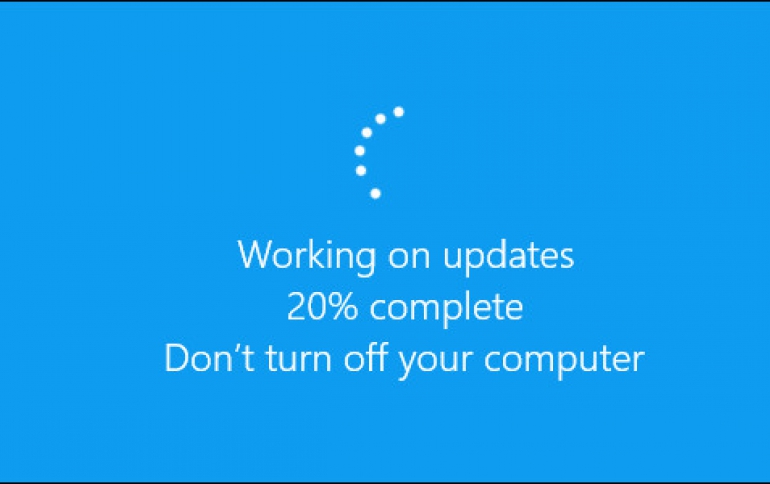
Microsoft is automatically removing troublesome Windows 10 updates without any user input.

Patch Tuesday for Windows 10 may introduce incompatibility or issues, so Microsoft says that your device has recently recovered from a startup failure if you have received this notification: "We removed some recently installed updates to recover your device from a startup failure." If Windows detects this, it will try to resolve the failure by uninstalling recently installed updates. This is only done when all other automatic recovery attempts have been unsuccessful.

But Windows will also prevent problematic updates from installing automatically for the next 30 days. This will give Microsoft and its partners the opportunity to investigate the failure and fix any issues. After 30 days, Windows will again try to install the updates.

Microsoft is using Machine Learning to estimate the best time to install Windows 10 Updates and most of the times forces reboots, instead of simply letting the user have full control.


Tags: windows 10
Previous Post
EU Scarps Digital Tax Plan
Next Post
Vinpower Acquired Rights and IP’s Related to ACARD Technology’s Duplication Products

Related Posts

  • Windows Search to Show COVID19 Info in Search, Your Phone App Lets You Control Music Apps

  • Microsoft Brings More Widgets for Apps to The Xbox Game Bar

  • Microsoft Says Hackers Take Advantage of Windows Vulnerability

  • Microsoft Says Coronavirus Will Impact Windows 10 Updates

  • Windows 10 is Powering 1 Billion Active Devices

  • Windows 10 Critical Security Update Patches SMB Vulnerability

  • Microsoft Discloses Unpatched Critical SMB Vulnerability in Windows

  • Microsoft Announces a Cloud-based Print Solution

Latest News

Arctic announces Senza AI 370 Under Desk PC for AI Applications
Consumer Electronics

Arctic announces Senza AI 370 Under Desk PC for AI Applications

CORSAIR Announces the Airflow-focused 3200D Mid Tower for Ambitious DIY PC Builds
Cooling Systems

CORSAIR Announces the Airflow-focused 3200D Mid Tower for Ambitious DIY PC Builds

Silicon Power Launches Enterprise-Grade DDR5 RDIMM to Accelerate AI Workloads
Enterprise & IT

Silicon Power Launches Enterprise-Grade DDR5 RDIMM to Accelerate AI Workloads

World Backup Day 2026: A Backup Doesn’t Always Need to be in the Cloud
Enterprise & IT

World Backup Day 2026: A Backup Doesn’t Always Need to be in the Cloud

Sharkoon announces S100 ARGB AIO Cooler
Cooling Systems

Sharkoon announces S100 ARGB AIO Cooler

Popular Reviews

be quiet! Dark Mount Keyboard

be quiet! Dark Mount Keyboard

Terramaster F8-SSD

Terramaster F8-SSD

be quiet! Light Mount Keyboard

be quiet! Light Mount Keyboard

Akaso 360 Action camera

Akaso 360 Action camera

Dragon Touch Digital Calendar

Dragon Touch Digital Calendar

be quiet! Pure Loop 3 280mm

be quiet! Pure Loop 3 280mm

Noctua NF-A12x25 G2 fans

Noctua NF-A12x25 G2 fans

Arctic Liquid Freezer III 360 Pro Argb

Arctic Liquid Freezer III 360 Pro Argb

Main menu

  • Home
  • News
  • Reviews
  • Essays
  • Forum
  • Legacy
  • About
    • Submit News

    • Contact Us
    • Privacy

    • Promotion
    • Advertise

    • RSS Feed
    • Site Map
  • About
  • Privacy
  • Contact Us
  • Promotional Opportunities @ CdrInfo.com
  • Advertise on out site
  • Submit your News to our site
  • RSS Feed