Nero 8 Preview
5. Conclusion
Review Pages
 I have been using Nero Burning Rom from almost version 3.20, a long time ago. Nero has evolved all these years and reached the milestone version 8 this year. All these years, Nero has been introducing a stable burning engine with constant updates and innovative features. Before testing Nero Burning Rom 8, I had very high expectations that were partially covered. The most interesting part of Nero Burning Rom 8 is the newly designed Nero StartSmart. It's even easier than Nero Express and as it seems, will be a very good utility for all inexperienced users who don't understand or don't have the time to occupy themselves with all the options of the main Nero Burning Rom application. The GUI design is clean and easy to understand. The engine worked well with several burns I made in the short time I tested it.
So that's all Nero 8 has to offer? I am afraid so. Even for the "hardcore" user, there aren't many changes, at least after a quick look. The official press releases talk about "compatibility with VISTA", which is a good thing, even though most "hardcore" users are not using VISTA :-). Taking a closer look, we see that Nero Recode has reached build 3.0 and probably has several improvements, that are not mentioned in the press releases.
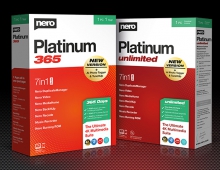
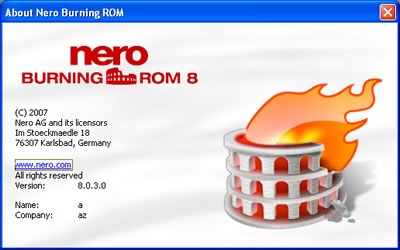
Concluding this preview, Nero Burning Rom 8 was a natural evolution from the previous Nero 7. Most of the applications you already know are still there, with a polished GUI while the most noticable improvement being Nero StartSmart. Nero Burning Rom is a complete package that can cover almost all your needs for digital life, from burning to video/picture management and manipulation. Currently, Nero 7 Premium Reloaded users will have a free upgrade to the new 8 series, while other Nero users can upgrade to Nero 8 online at a special discounted price. The suggested retail price of $99.99 from retailers, and $79.99 online at www.nero.com, are what you pay for Nero 8. As always, Nero 8 will have a trial version for downloading so you can test it before you decide to buy and see if it covers your needs.
For the meantime, we will continue using Nero 7 in our labs for burning :-)
Positive
- Nero StartSmart is really easy to use
- Several cosmetic GUI changes in all included applications
- Improved VISTA compatibility
- Several specific VISTA enhancements
- Free upgrade for Nero 7 Premium Reloaded users
- My Nero online community shares video among users
- BD-ROM playback will be available in the near future
Negative
- No really innovative features to impress us
- We don't like the optional "Ask Toolbar"
PS. Looking again at Nero.com showed that Nero 8 will offer two more options:
- My Nero Online Community: "...Users can quickly and easily share videos online with the click of a mouse. Digital media files obtained from other community members can be viewed through Nero ShowTime with high picture and sound quality while new search features help users find specific videos on My Nero for immediate download..."
- BD-ROM Playback: "...Nero 8 users will be able to playback their favorite movies in Blu-ray (BD-ROM) disc format in a future update of Nero 8 through an additional plug-in..."
Both features may look interesting but... firstly, it's a matter of taste who will use My Nero when Youtube.com and similar websites (Metacafe) have become the defacto standard for sharing videos online. As for BD-ROM Playback, we will have to wait and see the price of the additional plug-in...
Review Pages