Breaking News

ASUS ProArt RTX Spark Windows PCs Available for Immediate Pre-Order Kioxia Introduces E1.L QLC-based SSDs for Hyperscale Data Centers CORSAIR Launches the HS80 v2 MAX WIRELESS Gaming Headset Sony Announces the World's First Eclipsa Audio Certified Microphone1 for Smartphones Razer Unveils the Basilisk V4 Line

logo

  • Share Us
    • Facebook
    • Twitter
  • Home
  • Home
  • News
  • Reviews
  • Essays
  • About
    • Submit News

    • Contact Us
    • Privacy

    • Promotion
    • Advertise

    • RSS Feed

Search form

Terramaster F8-SSD

Mar 22,2025 0

2. Retail Package


Review Pages

1. Introduction
2. Retail Package
3. Installing TOS
4. Getting familiar with TOS
5. Creating Storage Volumes
6. Tests
7. Conclusion


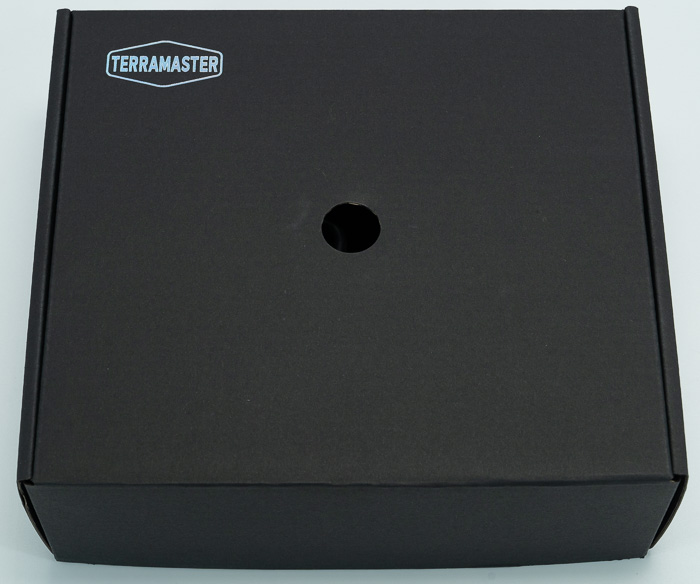
The TerraMaster F8 SSD costs around $599, while the F8 SSD Plus around $799, with some rebates of $100 from time-to-time. The retail box is small and comes in black. At the top we will find the TerraMaster logo and at the front the product's main specifications.

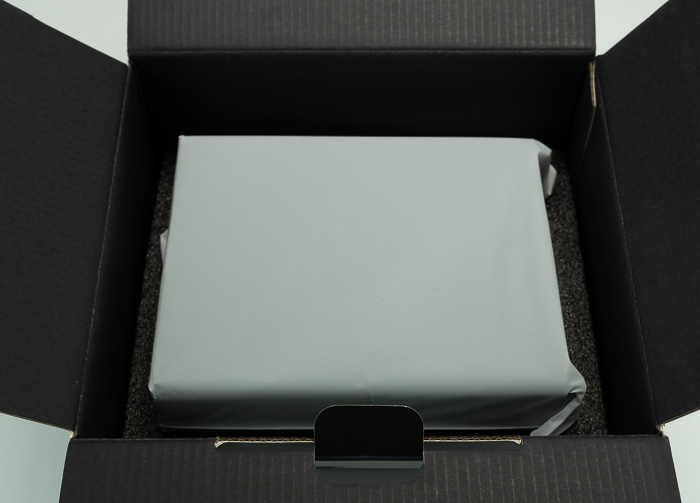
Opening the box includes a printed manual and great packaging with hard foam protecting the main product and other accessories.

The main product also comes inside a plastic bag that protects it from dust.
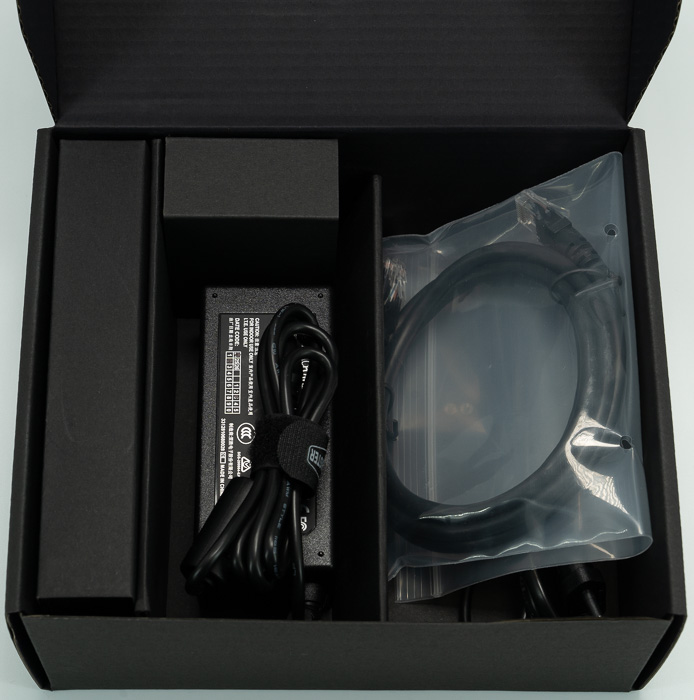
Users will find an accessories box,
That includes a power cord, a power adapter, an RJ45 lan cable, screws and a quick Installation Guide, and a limited Warranty Note(x1)
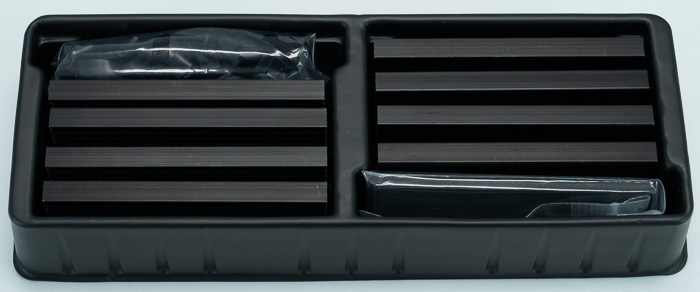
And eight (8) low-profile NVME SSD heatsinks with corresponding thermal pads and elastic bands to secure them at the NVME SSDs. That approach is good even in the long run the plastic bands could deteriorate from the thermal load. Of course, users can use their thermal solutions to keep NVMEs at low temperatures.
Looking at the main product, the TerraMaster is a minimally designed product made out of good plastic ABS with a black color. At the top users will find the TerraMaster logo and another sticker for a promised 24-hour quick service and response to customer queries.

Users at the back will find two 50 X 50 X 10mm fans that promise good airflow and low noise. Users can change them or service them in the future.

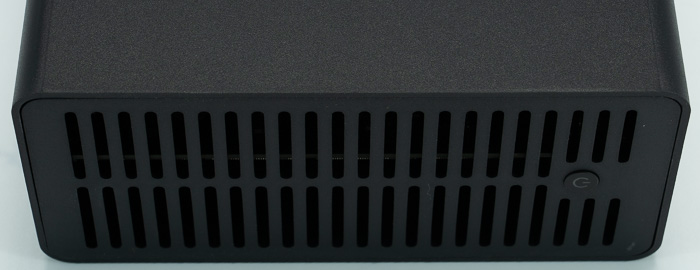
At the front, we will find the power on/off button and grills that dispass the internal heat.
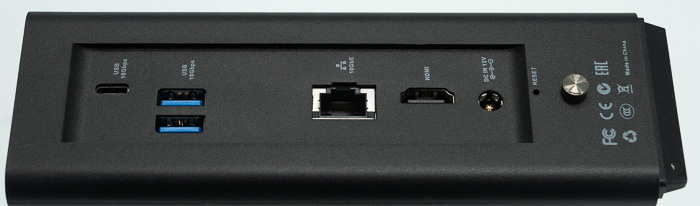
On the right side, users will find the connectivity ports that include, the power jack, a 10G RJ45 port, an HDMI 1.4b port, two USB 3.2 10G ports, and one USB Type C 10G port as well. There is also a thumb screw for users to remove the external case and get into the internals.
After removing the screw, you have to gently push the back to the front to slide out the internal cage.
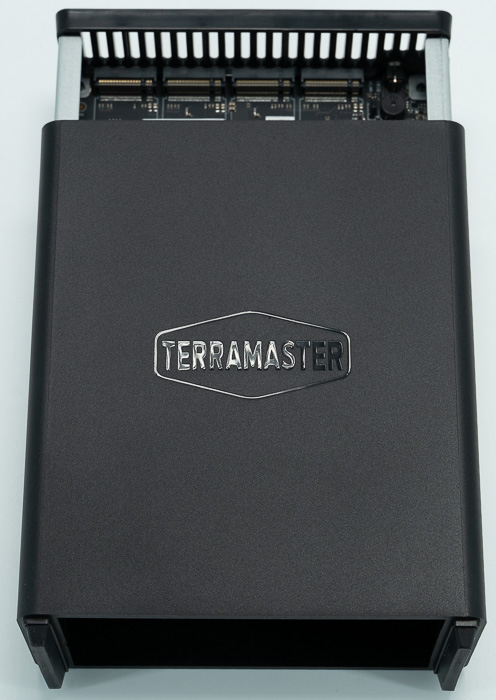
And finally, we can view the internals of the NAS server. There is only one DIMM slot as we mentioned earlier, the F8 SSD has pre-installed 8GB SO-DIMM DDR5 4800MHz and users can upgrade this up to 32/48 or even 64GB with only one dimm. There are four NVME slots with PCIe 3.0 x1 port, which means it maxes around 2GB/sec (mostly up to 1.97 GB/s). However since the RJ 45 10G ports max around 1GB/sec, that means you don't need to use expensive PCIe 4.0 or PCIe 5.0 NVME SSDs, most PCIe 3.0 would be fine. One thing that you should look at is the high TBW since this is a NAS server after all, and high 4K read/write performance. Users can use either the included heatsink or even NVME that already have NVME pre-installed provided that they don't exceed ...... as height. All NVME ports are close together, meaning there is a slight gap or no gap between all ports if you pack them all side to side.
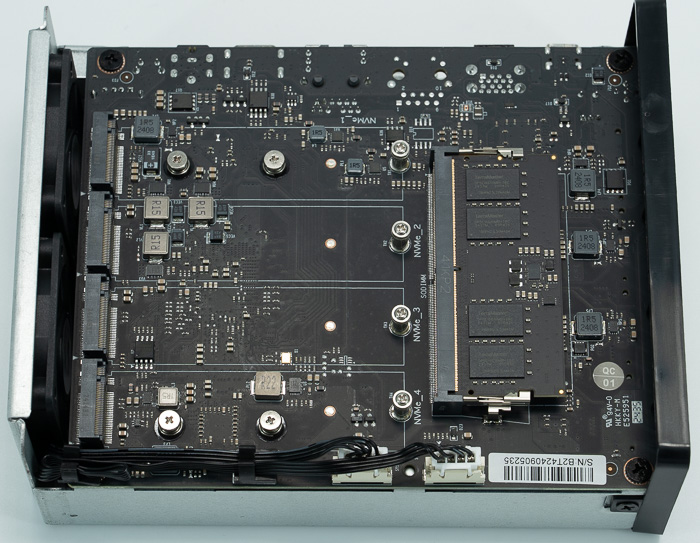
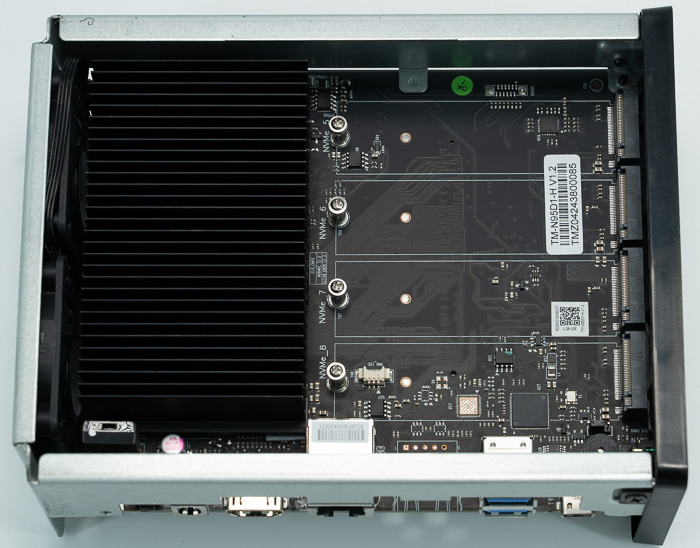
At the bottom of the motherboard, there are four more NVME slots and a big heatsink for passive cooling of the Intel N95 CPU.

  • Processor Number N95
  • Lithography Intel 7
  • Total Cores 4
  • Total Threads 4
  • Max Turbo Frequency 3.40 GHz
  • Cache 6 MB
  • TDP 15 W\
  • Launch Date Q1'23
  • GPU Name‡ Intel® UHD Graphics
  • Graphics Max Dynamic Frequency 1.20 GHz
  • Execution Units 16
  • 4K Support Yes, at 60Hz
  • Max # of PCI Express Lanes 9

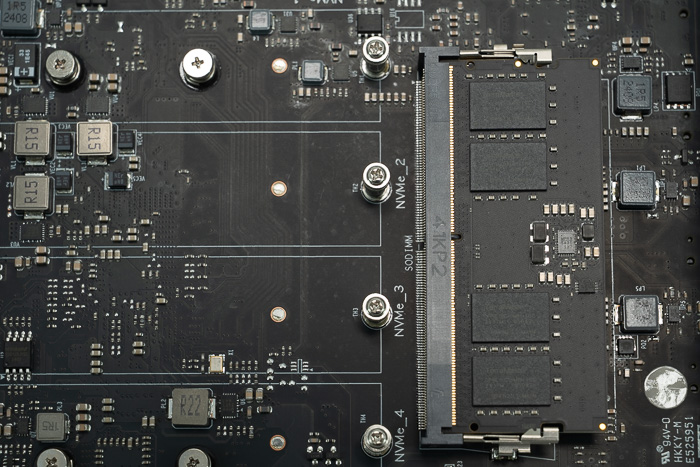
Here is a close-up of the motherboard, each port has its own numbering NVME_1 up to NVME_8.
 

Review Pages

1. Introduction
2. Retail Package
3. Installing TOS
4. Getting familiar with TOS
5. Creating Storage Volumes
6. Tests
7. Conclusion


Pages

  • « first
  • ‹ previous
  • 1
  • 2
  • 3
  • 4
  • 5
  • 6
  • 7
  • next ›
  • last »

TerraMaster

Tags: TerraMaster
Previous Post
Epomaker Carbon 60
Next Post
Epomaker HE 68

Related Posts

  • TerraMaster Launches Storage Upgrade Season with Up to 30% Off During Prime Big Deal Days

  • TerraMaster Launches 725 Series Xeon Rackmount NAS

  • TerraMaster Rolls Out Official Storage Upgrade Program

  • TerraMaster Offers up to 25% Off on Selected NAS & DAS

  • TerraMaster F4-425 Pro features the world’s first AI-native TOS 7 NAS system

  • TerraMaster Prime Day 2026 Sale Offers Up to 25% Off

  • TerraMaster announces D1 SSD Rugged Enclosure

  • TerraMaster Spring Sale 2026 Upgraded Up To 30%

Latest Reviews

Fanxiang MP83 M.2 NVMe SSD Enclosure
Enterprise & IT

Fanxiang MP83 M.2 NVMe SSD Enclosure

Ugreen CM642 USB4.0 Enclosure
PC components

Ugreen CM642 USB4.0 Enclosure

be quiet! Dark Power 14 IO
PC components

be quiet! Dark Power 14 IO

SanDisk High Endurance 512GB microSDXC
Cameras

SanDisk High Endurance 512GB microSDXC

Samsung PRO Ultimate 512GB microSDXC
Cameras

Samsung PRO Ultimate 512GB microSDXC

Popular News

MSI’s Latest AMD X870E MAX & EVO Series Motherboards

MSI’s Latest AMD X870E MAX & EVO Series Motherboards

COLORFUL Launches iGame B850M ULTRA Series Micro-ATX Motherboards

COLORFUL Launches iGame B850M ULTRA Series Micro-ATX Motherboards

COLORFUL Presents Limited Edition Chitu MAG-60 Magnetic Keyboard Inspired by the Year of the Horse

COLORFUL Presents Limited Edition Chitu MAG-60 Magnetic Keyboard Inspired by the Year of the Horse

COLORFUL Launches iGame B850I MINI OC V14 Motherboard

COLORFUL Launches iGame B850I MINI OC V14 Motherboard

COLORFUL Presents iGame Z890 ULTRA-S W and iGame Z890M ULTRA Z Motherboards

COLORFUL Presents iGame Z890 ULTRA-S W and iGame Z890M ULTRA Z Motherboards

COLORFUL Launches the iGame X870E VULCAN W OC Motherboard

COLORFUL Launches the iGame X870E VULCAN W OC Motherboard

COLORFUL Expands B850 Motherboard Lineup with New CVN, Battle-Ax, and MEOW Models

COLORFUL Expands B850 Motherboard Lineup with New CVN, Battle-Ax, and MEOW Models

ASRock Adds Support for One Sub-Channel DRAM Module on Intel DDR5 Motherboards

ASRock Adds Support for One Sub-Channel DRAM Module on Intel DDR5 Motherboards

Main menu

  • Home
  • News
  • Reviews
  • Essays
  • About
    • Submit News

    • Contact Us
    • Privacy

    • Promotion
    • Advertise

    • RSS Feed
  • About
  • Privacy
  • Contact Us
  • Promotional Opportunities @ CdrInfo.com
  • Advertise on out site
  • Submit your News to our site
  • RSS Feed